Design System
Style Guide V2
Canonical reference for the Webflow developer. Documents the Direction A — Terracotta colour system, the Elevation Mark visual strategy, and all 12 website components with CMS field maps, isolated previews, and mobile behaviour notes.
Design Principles
The 8 West rhinoplasty site is built on four principles: editorial restraint, clinical precision, warm authority, and typographic hierarchy. Every design decision should reinforce at least one of these.
| Principle | What it means in practice |
|---|---|
| Editorial restraint | Generous whitespace. Never fill space for its own sake. One strong visual per section. |
| Clinical precision | Exact spacing, consistent alignment, no decorative elements that do not carry meaning. |
| Warm authority | Navy and terracotta together — confident without being cold. Canela serif adds warmth to the clinical structure. |
| Typographic hierarchy | Canela for display moments only. Neue Haas Grotesk for everything else. Never mix weights arbitrarily. |
Colour System — Direction A
Direction A — Terracotta replaces the original sage/navy palette. Terracotta #C4622A is the new accent colour. Navy and ivory remain the structural foundation.
| Value | Replace with |
|---|---|
#000000 (pure black) | #1B2F4E (Navy) |
#ffffff (pure white) | #F9F6F1 (Ivory) |
#8A9E8C (Sage — V1 accent) | #C4622A (Terracotta — V2 accent) |
Any grey (#aaa, #ccc, etc.) | #C4B8A8 (Warm Stone) or #E8E2D9 (Border) |
Type System
Two typefaces only. Canela Light for display headlines — used sparingly, top of page only. Neue Haas Grotesk for everything else. Never substitute Inter, Helvetica, or any other sans-serif.
Button System
Four button variants. Use sgv2-btn-* class names in Webflow. Never create ad-hoc button styles.
| Class | Usage | Background |
|---|---|---|
sgv2-btn-primary | Primary CTA — one per section maximum | Any |
sgv2-btn-ghost-dark | Secondary CTA on navy backgrounds | Navy only |
sgv2-btn-ghost-light | Secondary CTA on light backgrounds | Ivory / Stone |
sgv2-btn-text | Tertiary / inline link action | Any |
Elevation Mark
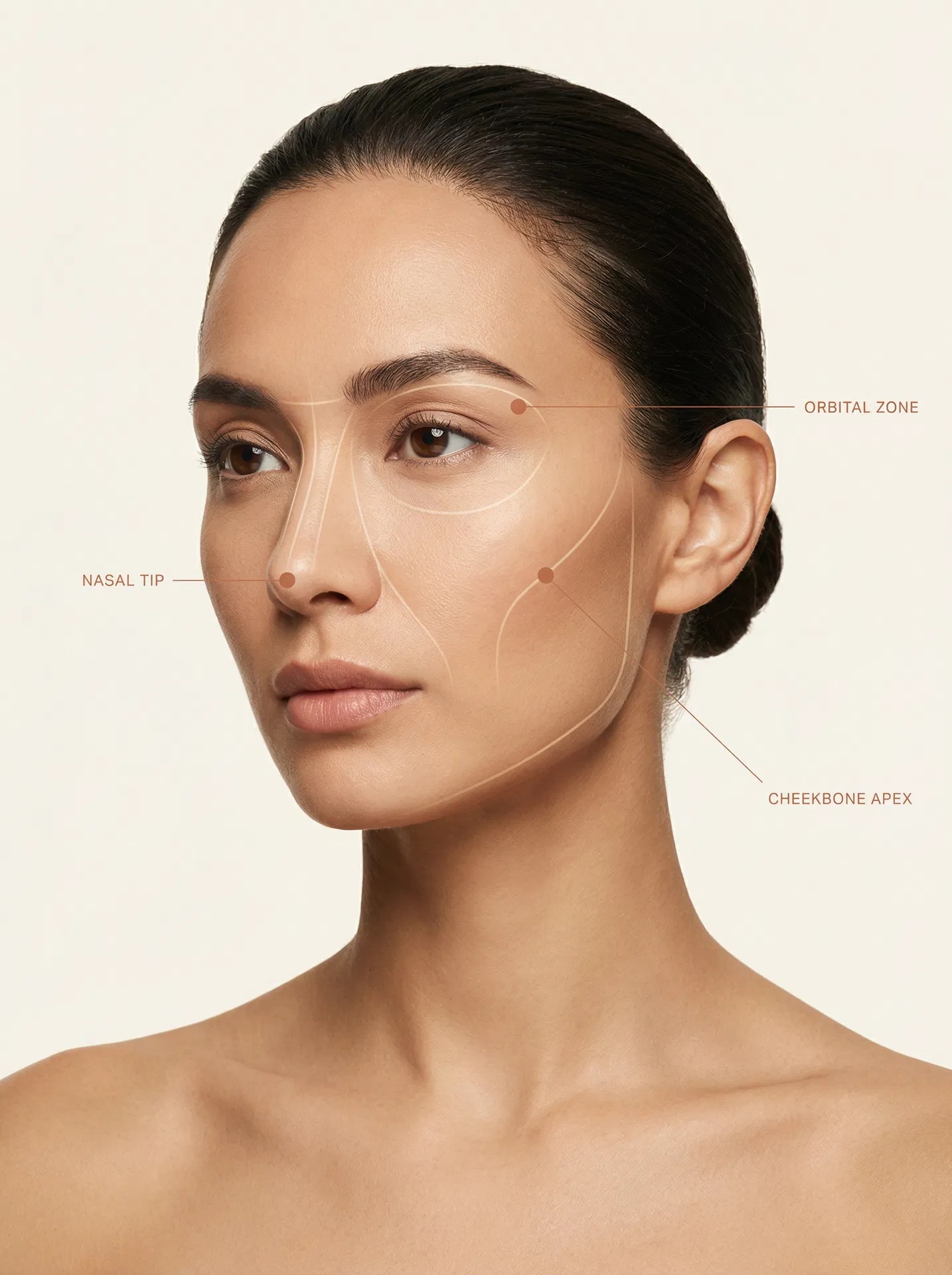
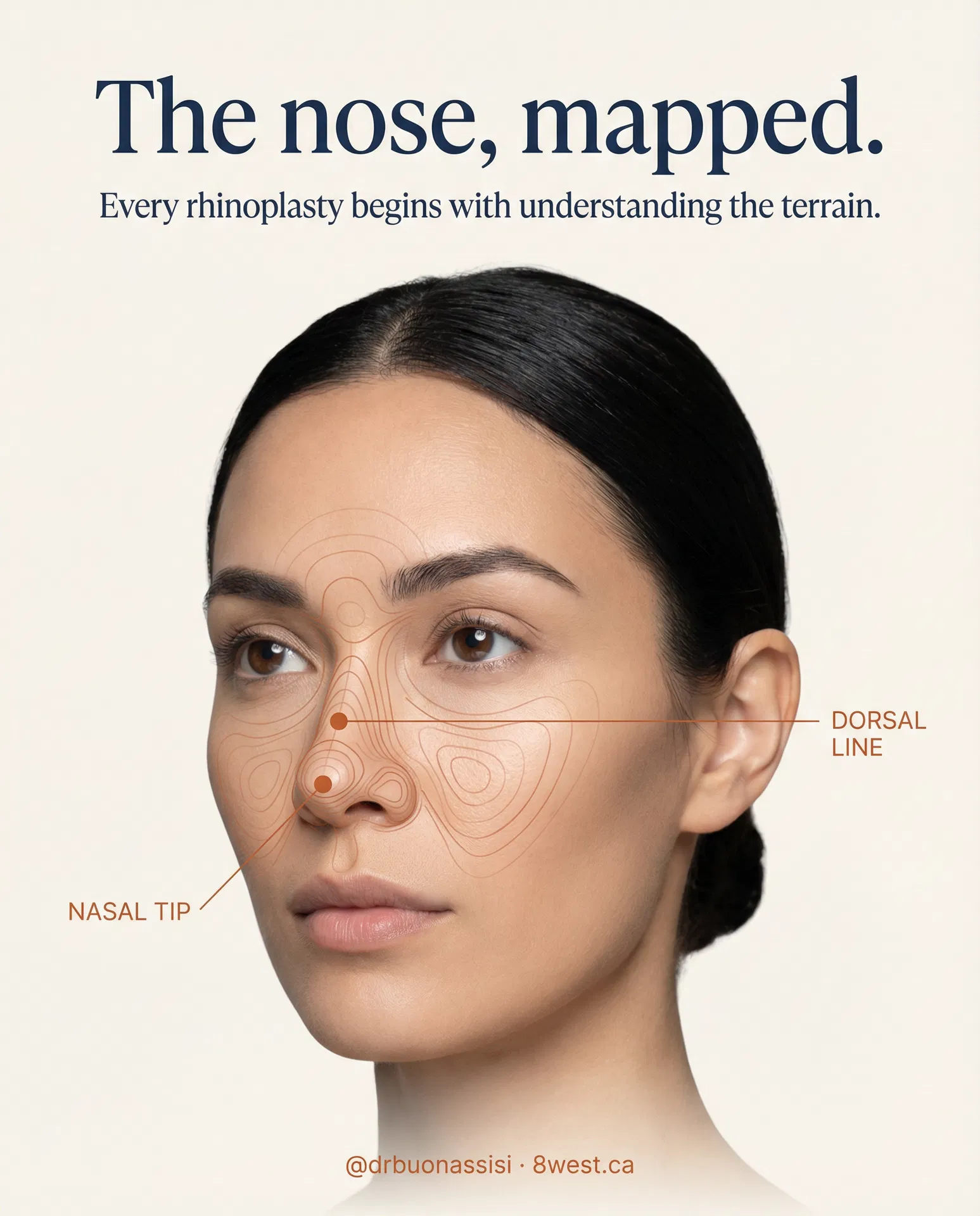
Internal visual strategy — not a consumer-facing brand name. Topographic contour mapping applied to the face and body. The face is treated as terrain: peaks and valleys mapped with sparse contour lines and labelled with terracotta annotation callouts at anatomically significant points. The system scales from a single Instagram post to a full surgical education page without modification.
#C4622A · 1px rule · All-caps NHaasGrotesk 45 Light · Tracked 0.16emFour principles that govern the system
These rules apply whether the Elevation Mark visual strategy is used on a website hero, an Instagram post, a surgical technique illustration, or a printed brochure.
What to do and what to avoid
The standard for all Elevation Mark graphics
This specification applies to every annotated image in the 8 West system — rhinoplasty photography, facial landmark mapping, body treatment zones, laser education graphics, and surgical technique diagrams. No element may deviate from these values without a formal design decision recorded in this document.
| Element | Value | Opacity / Weight | Notes |
|---|---|---|---|
| Contour lines — on photography | #C4622A | 30% opacity · 1px stroke | Warm enough to read against skin tones; subtle enough that the face stays primary. White lines are permitted on dark navy backgrounds only. |
| Annotation dot | #C4622A solid | 100% · 8–10px circle | Filled circle. No stroke. Marks the anatomical point being labelled. |
| Leader line | #C4622A | 60% opacity · 1px stroke | Slightly more opaque than contour lines so the annotation reads clearly. Straight lines only — no curves. |
| Label text | #C4622A solid | 100% | NHaasGrotesk 45 Light, 9–10px, all-caps, letter-spacing 0.16em. No bold. |
| Diagram outline (surgical) | #1B2F4E | 100% · 1.5px stroke | All surgical technique SVG outlines use navy at full opacity. No grey, no sage. |
| Diagram fill (surgical) | #C4622A | 12% opacity fill | Replaces the legacy sage green (#8A9E8C) fill. A very light terracotta wash — visible but not competing with the outline. |
| Directional arrows (surgical) | #C4622A solid | 100% | Replaces the legacy sage green arrows. Solid terracotta, same weight as the leader line. |
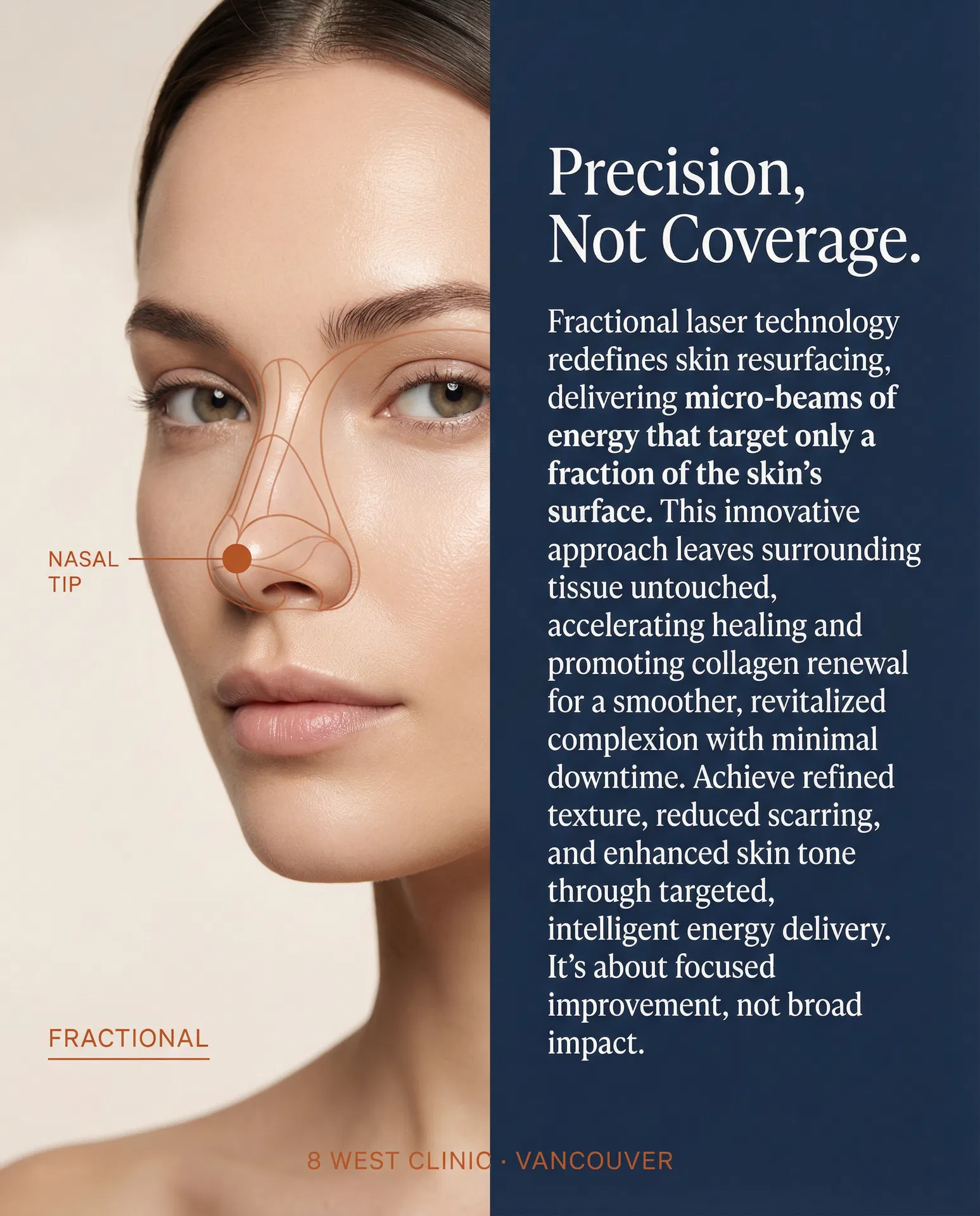
| Dot grid (laser/fractional) | #C4622A solid | 100% · 4px circle | Used exclusively for fractional laser zone diagrams. Represents micro-columns. Do not use in rhinoplasty or facial mapping contexts. |
Above: the three annotation primitives at their specified opacity values. All other Elevation Mark graphics are composed from these three elements only.
Instagram — three post directions
Each post applies the Elevation Mark visual language differently. They are designed to work as a series or independently. The contour line density and annotation count are calibrated for the 4:5 feed format.

The Elevation Mark Applied to Surgical Education
The same topographic precision that maps facial anatomy in marketing applies directly to surgical education. Each manoeuvre card uses the Elevation Mark visual language — ivory field, terracotta annotation, navy typography — making the system coherent from Instagram post to clinical infographic.
Cephalic Trim
What it is — Removes a measured strip from the cephalic (upper) edge of the lower lateral cartilages — the cartilages that form the tip and alar rims.
Why it matters — Reduces tip bulkiness and width. One of the most commonly performed tip manoeuvres, but requires restraint: over-resection weakens the alar rim and can cause long-term collapse.
Deprojection
What it is — Reduces how far the nasal tip projects forward from the face. Techniques include cartilage scoring, tongue-in-groove setback, or medial crural overlap.
Why it matters — Addresses a nose that protrudes too prominently. Often combined with tip rotation to achieve a more balanced profile.
Rhinion Hump Reduction
What it is — Removes or reshapes the prominence at the rhinion — the highest point of the dorsal profile where nasal bones meet upper lateral cartilages.
Why it matters — The most commonly requested change in rhinoplasty. In preservation rhinoplasty, the hump is lowered by letting down the dorsum rather than excising it.
Osteotomy
What it is — Controlled fracture of the nasal bones to narrow the bony vault or close an open roof after hump reduction. Performed through small internal incisions.
Why it matters — After removing a dorsal hump, the nasal bones are left separated — creating an open roof that must be closed by infracturing the bones inward.
Columellar Strut Graft
What it is — A piece of cartilage (usually harvested from the septum) placed between the medial crura of the tip cartilages to create a stable foundation for the tip.
Why it matters — Adds tip support, projection, and definition. Essential in preservation rhinoplasty when tip support has been reduced.
Spreader Grafts
What it is — Thin cartilage grafts placed between the upper lateral cartilages and the septum to widen the middle vault and maintain the internal nasal valve angle.
Why it matters — Prevents the pinched, inverted-V deformity that can occur after aggressive hump reduction. Also used to correct nasal obstruction.
Tip Suture Techniques
What it is — A family of suturing manoeuvres — transdomal, interdomal, and lateral crural mattress sutures — that reshape the tip cartilages without removing tissue.
Why it matters — Allows precise tip refinement with minimal tissue disruption. Preferred over excision in preservation rhinoplasty.
Alar Base Reduction
What it is — Removes a small wedge of tissue at the base of the nostrils (alar wedge excision) or at the sill to narrow the base width or reduce flaring.
Why it matters — Addresses nostrils that are too wide or flare excessively. Often performed as a finishing step after tip and bridge work.
Septoplasty & Cartilage Harvest
What it is — Straightens a deviated septum and harvests cartilage that can be used as graft material for struts, spreaders, or tip grafts elsewhere in the nose.
Why it matters — The septum is the primary donor site for rhinoplasty grafts. Correcting a deviation improves breathing while providing raw material for structural reconstruction.
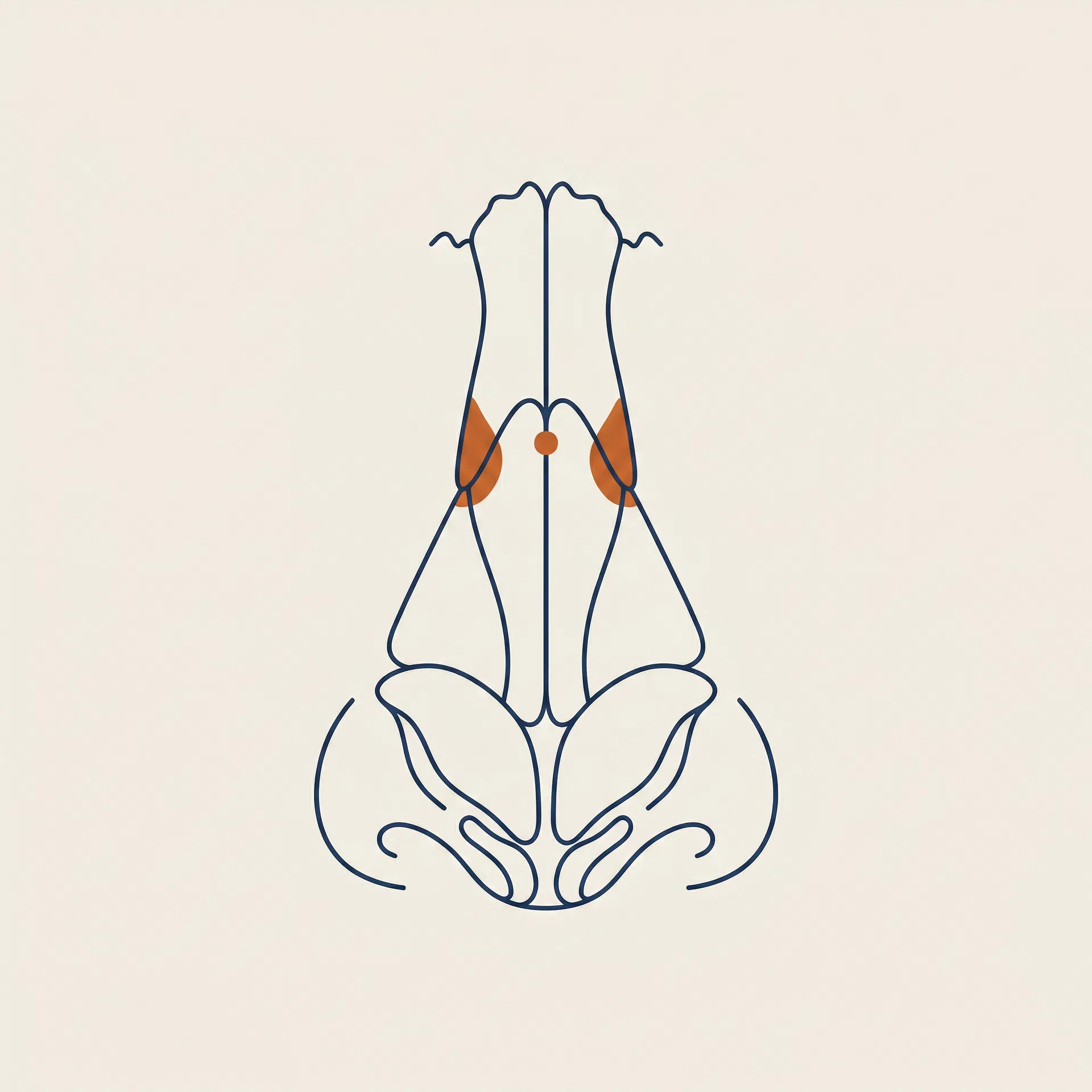
Rhinion Horn Reduction
What it is — Reduces the bilateral bony prominences on the lateral sides of the nasal bridge near the rhinion — the points where the nasal bones flare outward and create visible widening of the upper bridge.
Why it matters — Distinct from hump reduction, which addresses the dorsal profile line. Rhinion horn reduction narrows the bridge width when viewed from the front, refining the upper third without altering the profile height. Often performed in combination with osteotomies.
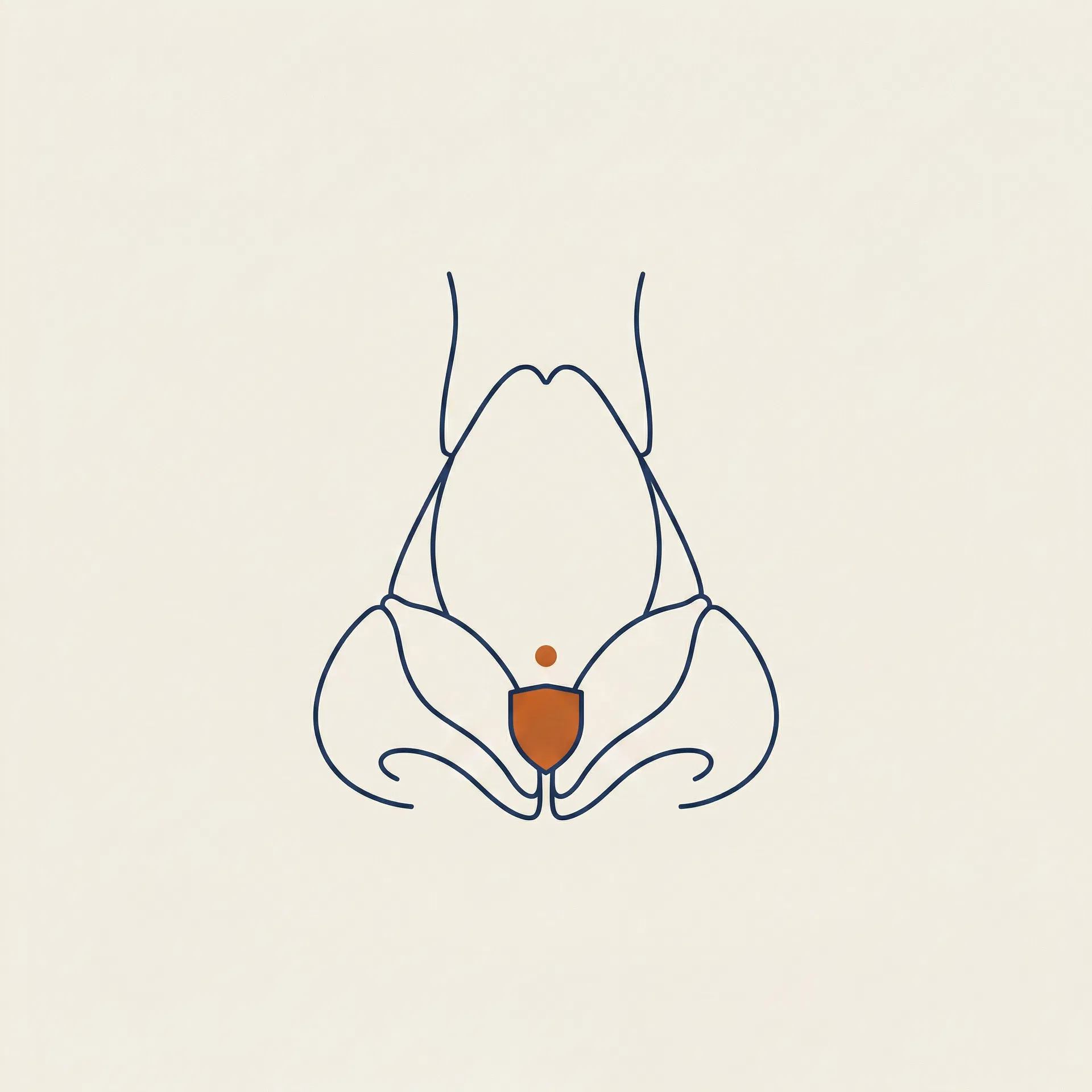
Tip Augmentation
What it is — Adds projection, definition, or height to the nasal tip using a cartilage graft — typically a shield graft or cap graft harvested from the septum or ear — placed at the tip to increase its prominence and refine its shape.
Why it matters — Used when the tip lacks projection, appears flat, or needs structural support after other tip manoeuvres. Particularly important in ethnic rhinoplasty and revision cases where native tip cartilage is weak or has been previously altered. Rarely performed in isolation — tip augmentation is almost always part of a broader plan that addresses the bridge and overall balance.
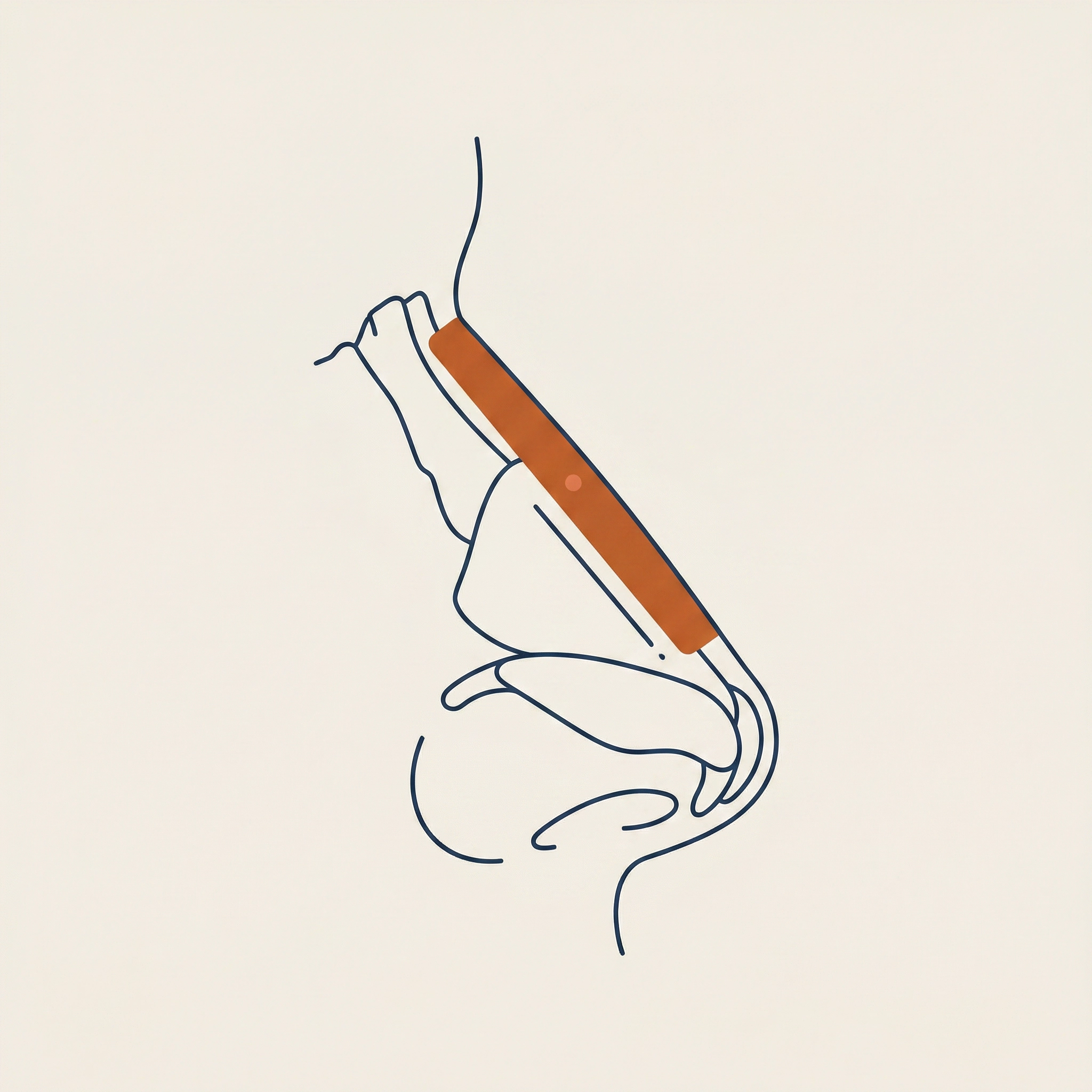
Bridge Augmentation
What it is — Raises the height of the nasal bridge using a cartilage graft (typically diced cartilage wrapped in fascia, or a solid septal/rib graft) or, in some cases, a silicone implant placed along the dorsum.
Why it matters — Addresses a flat or low dorsum — a common goal in ethnic rhinoplasty where patients want to add bridge height while preserving their ethnic identity. The approach is always considered in relation to tip projection and facial proportions; augmenting the bridge without addressing the tip can create an unbalanced result.
The Elevation Mark visual language is consistent from a single Instagram post to a full surgical education page. The annotation system — terracotta dot, thin rule, uppercase region label — is the connective tissue across all applications.
The Same System. A Different Terrain.
The Elevation Mark is not rhinoplasty-specific. The same topographic annotation logic — sparse contour lines, terracotta dots at anatomical landmarks, precise region labels — applies directly to medical aesthetics. Cheekbone augmentation, lip enhancement, and injectable placement all have elevation points worth mapping.
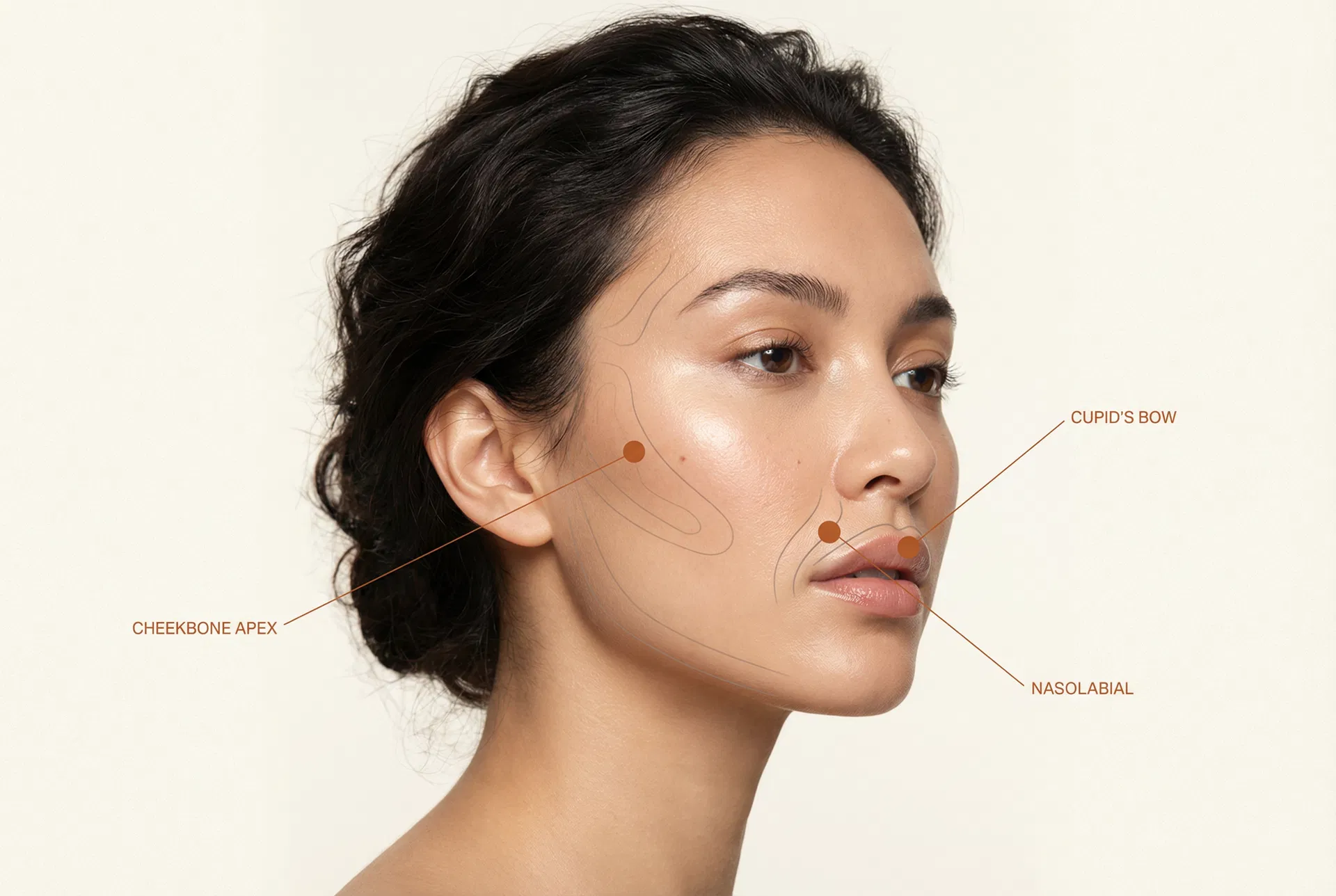
Cheekbone Augmentation
What it is — Hyaluronic acid filler placed at the malar eminence to restore volume and projection lost to aging or to enhance naturally flat cheekbones.
Why it matters — The cheekbone apex is the highest point of the malar complex. Precise placement here creates a natural lift effect that improves the midface and softens nasolabial folds without surgery.
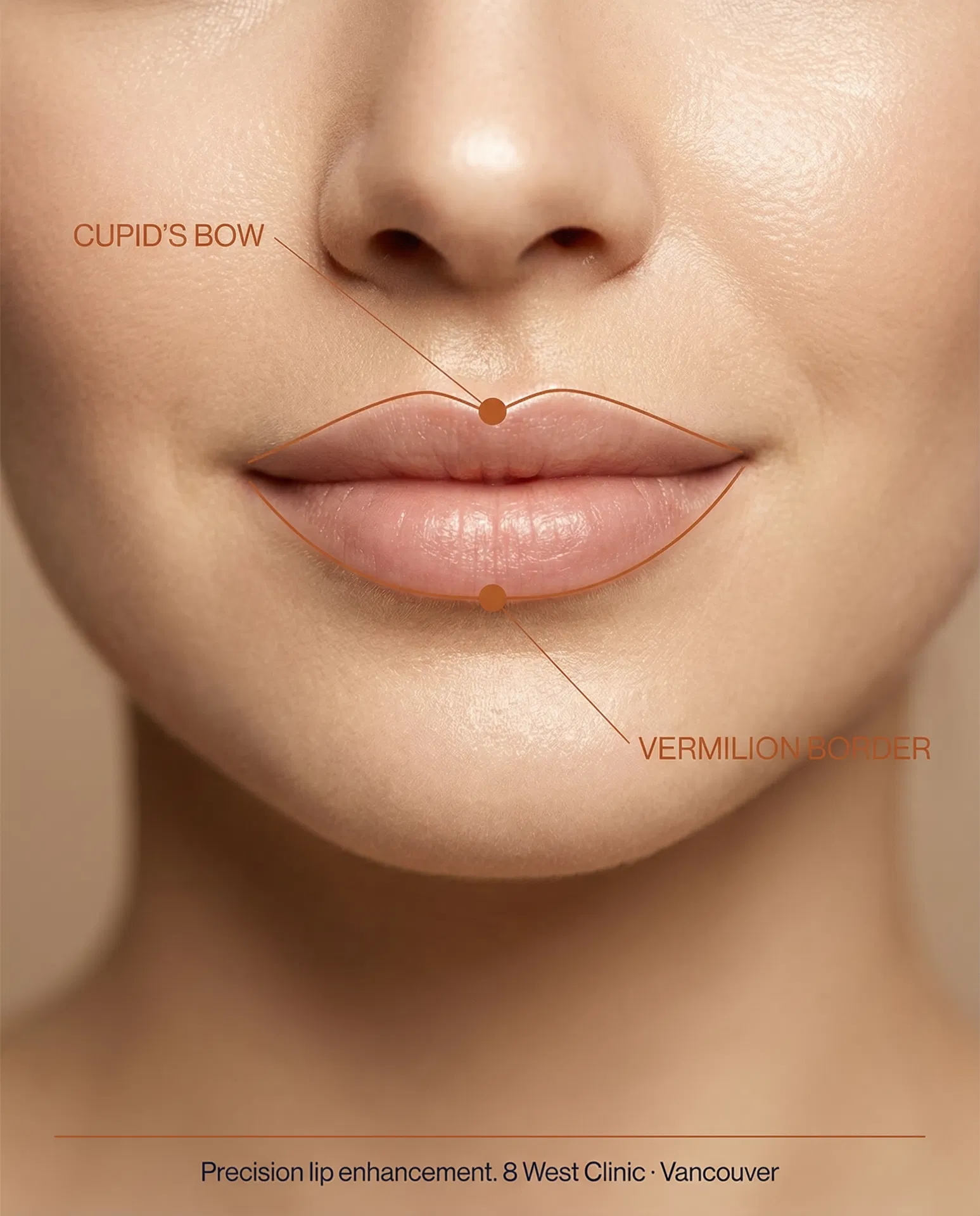
Lip Enhancement
What it is — Hyaluronic acid placed along the vermilion border and within the body of the lips to define shape, add volume, and improve symmetry.
Why it matters — The cupid's bow and vermilion border are the defining landmarks of lip architecture. Elevation Mark annotation makes the treatment plan visible and communicable — both to the patient and to the injector.
Nasolabial Fold Correction
What it is — Filler placed in the nasolabial zone to soften the fold between the nose and the corner of the mouth — one of the earliest visible signs of facial volume loss.
Why it matters — The nasolabial fold deepens as the cheek fat pad descends. Treating the fold in isolation is less effective than addressing the cheekbone apex first — the Elevation Mark mapping makes this relationship explicit.
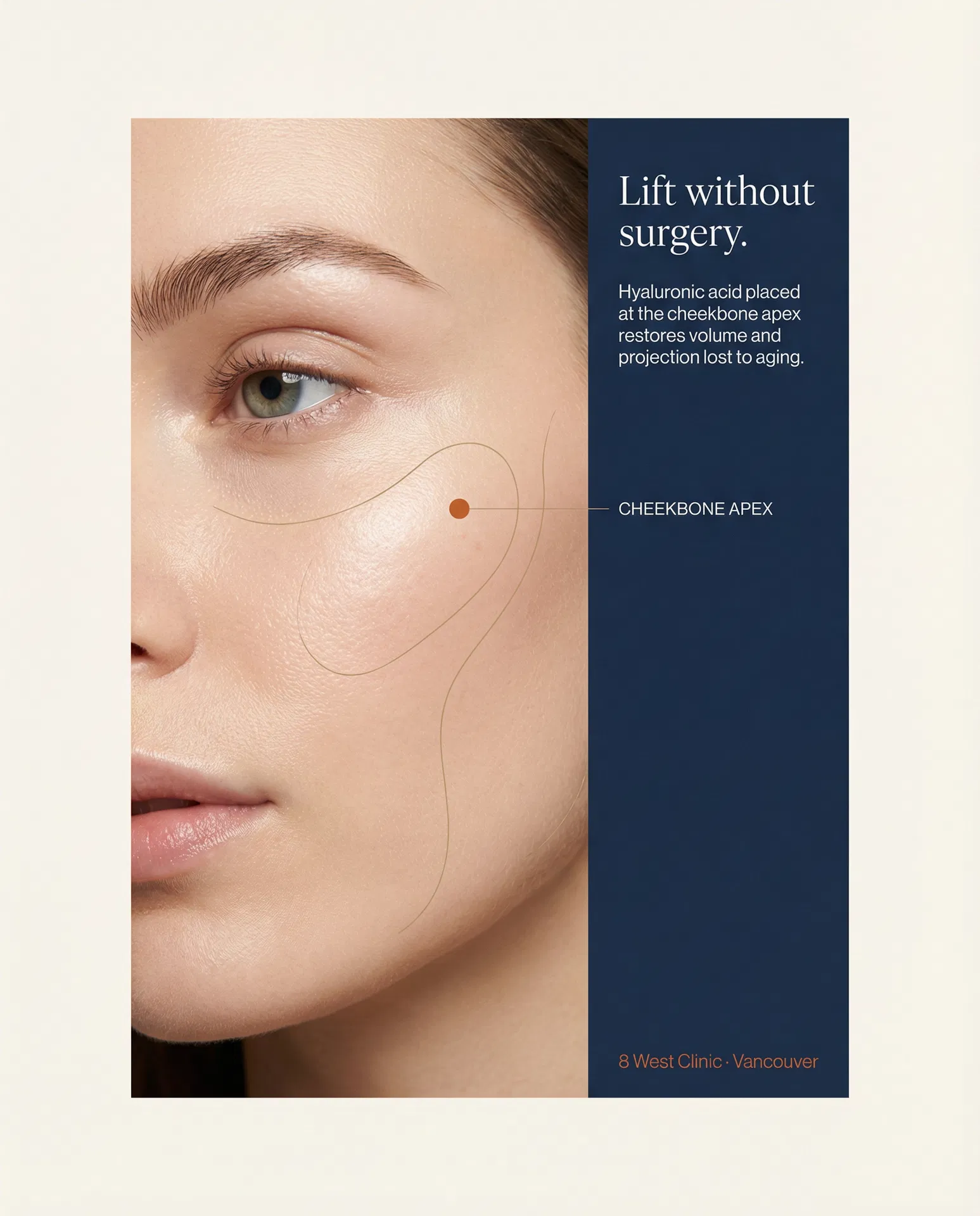
Rhinoplasty. Medical Aesthetics. Health Optimization. Each line of business has its own anatomy, its own elevation points, its own landmarks worth mapping. The Elevation Mark visual strategy scales across all three without modification — only the terrain changes.
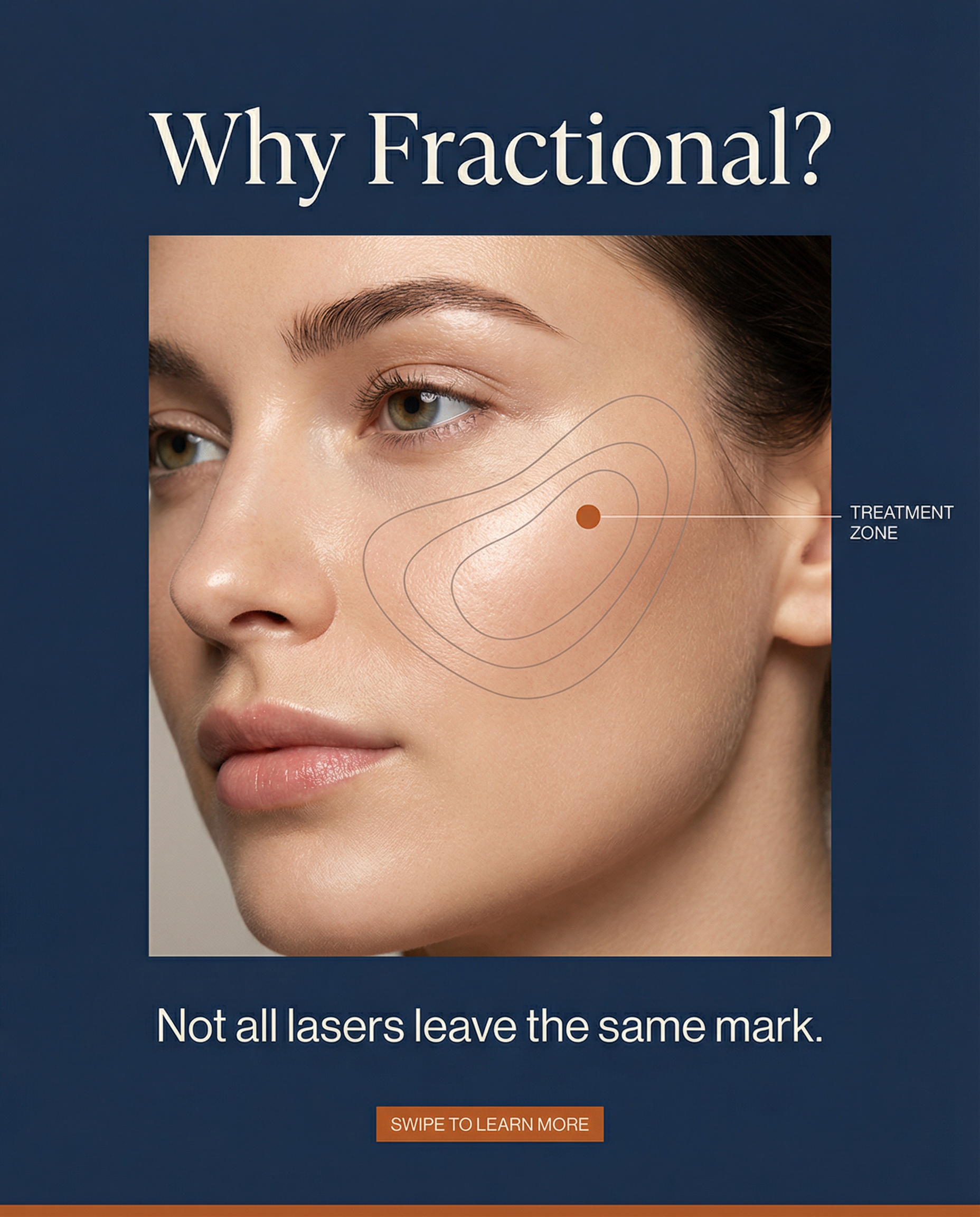
Not All Lasers Leave the Same Mark.
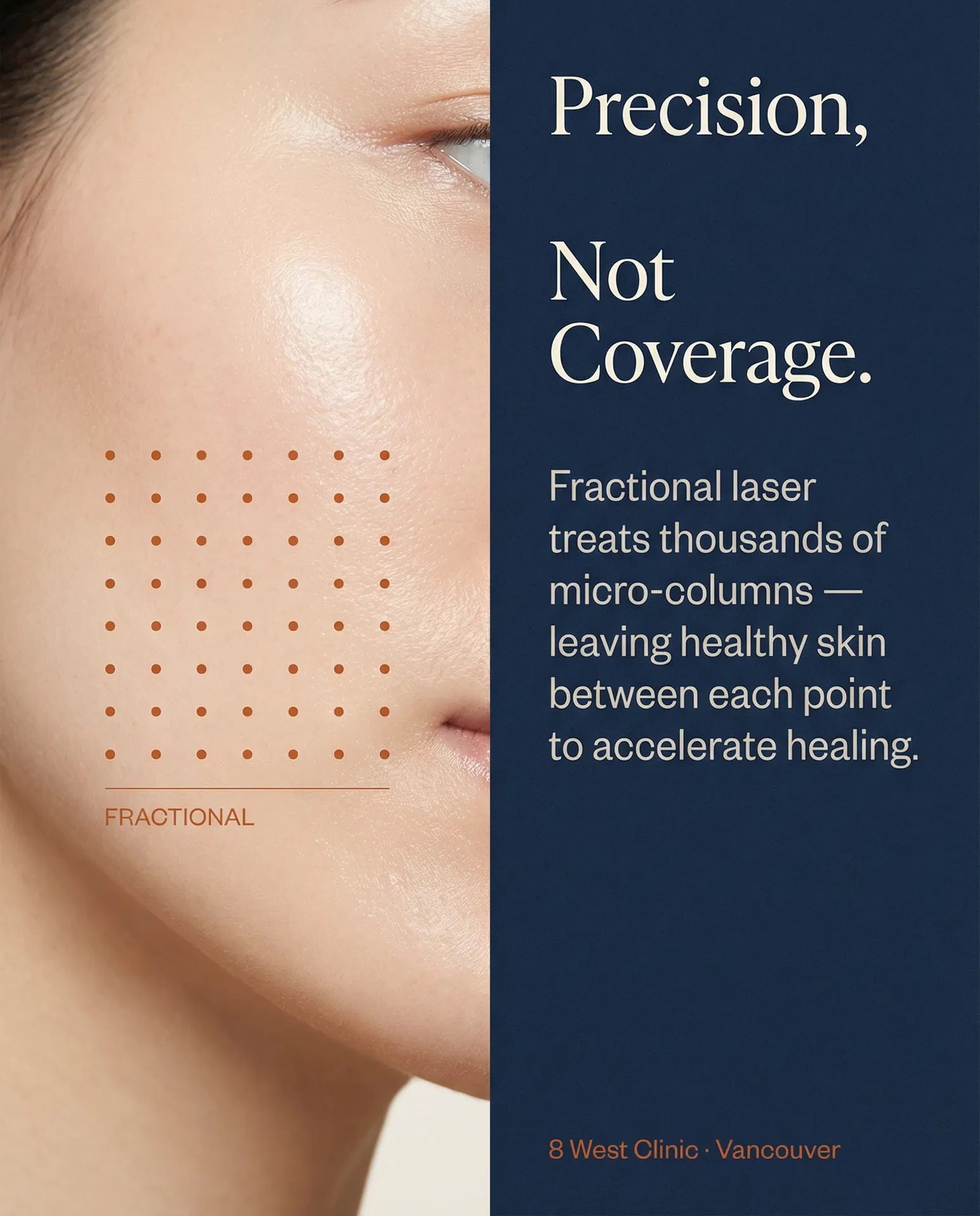
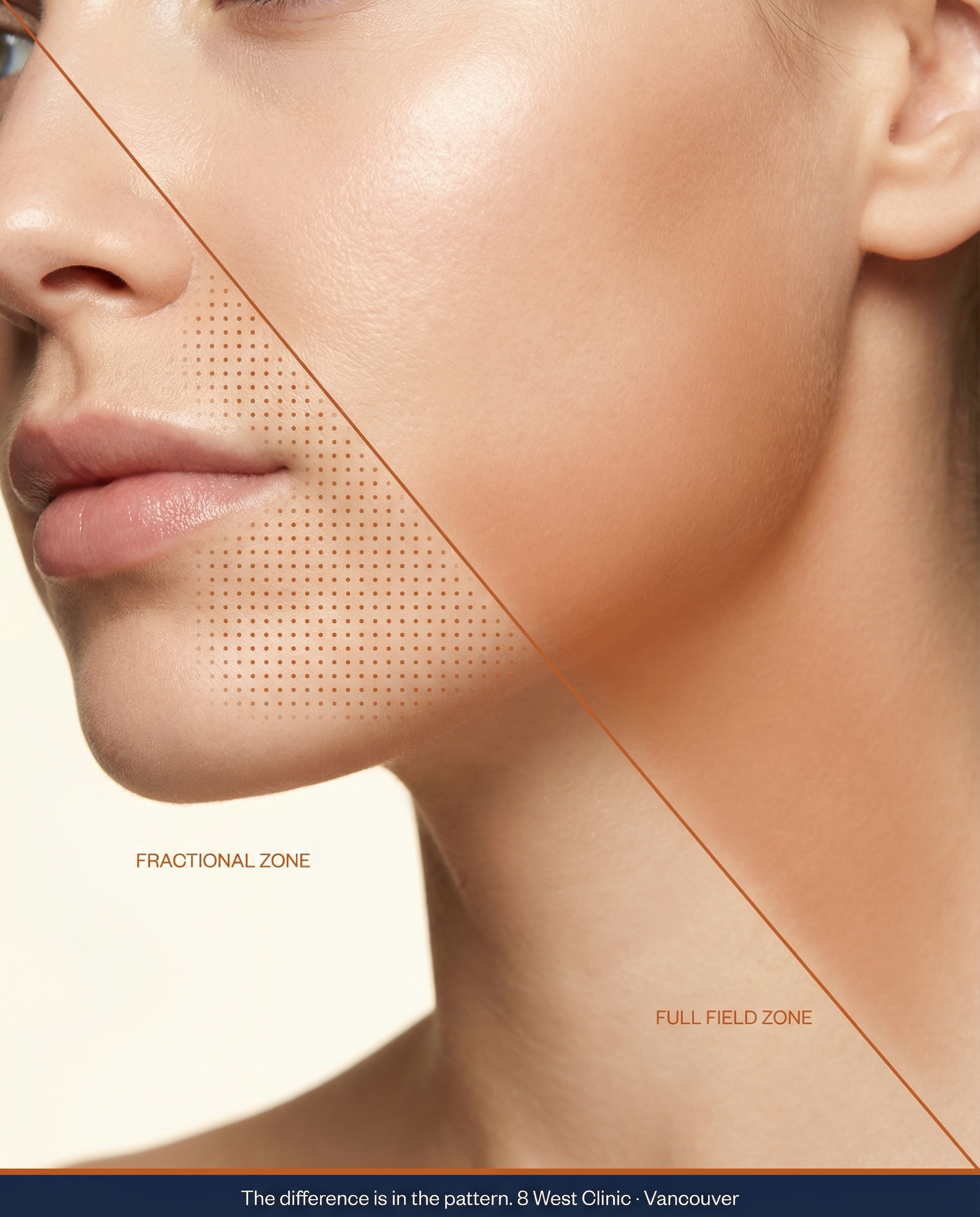
The Elevation Mark system maps the difference between fractional and full-field laser treatment — making a clinical distinction visible, and therefore communicable.
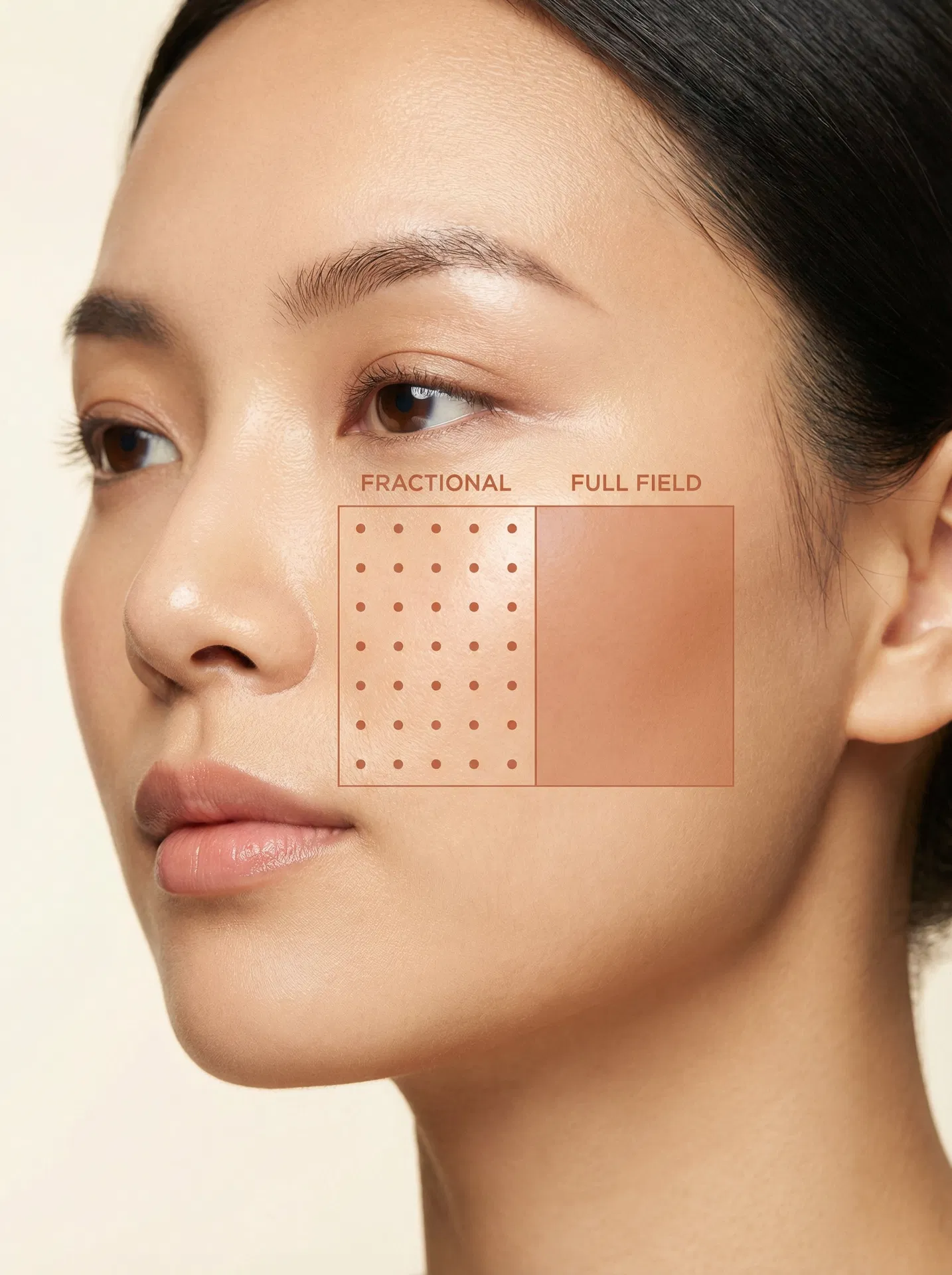
Precision Columns
What it is: Fractional lasers deliver energy in thousands of microscopic columns — called micro-treatment zones — leaving untreated skin between each point.
Why it matters: The intact skin surrounding each micro-column acts as a reservoir for healing. Recovery is faster, side effects are reduced, and the skin's own repair mechanisms are recruited — not bypassed.
Uniform Coverage
What it is: Full-field (ablative) lasers remove the entire surface of the treatment area uniformly — no untreated columns remain between passes.
Why it matters: More aggressive resurfacing with dramatic results, but longer downtime and a higher risk profile. The absence of intact surrounding skin means healing depends entirely on the body's own regeneration — without the fractional scaffold.
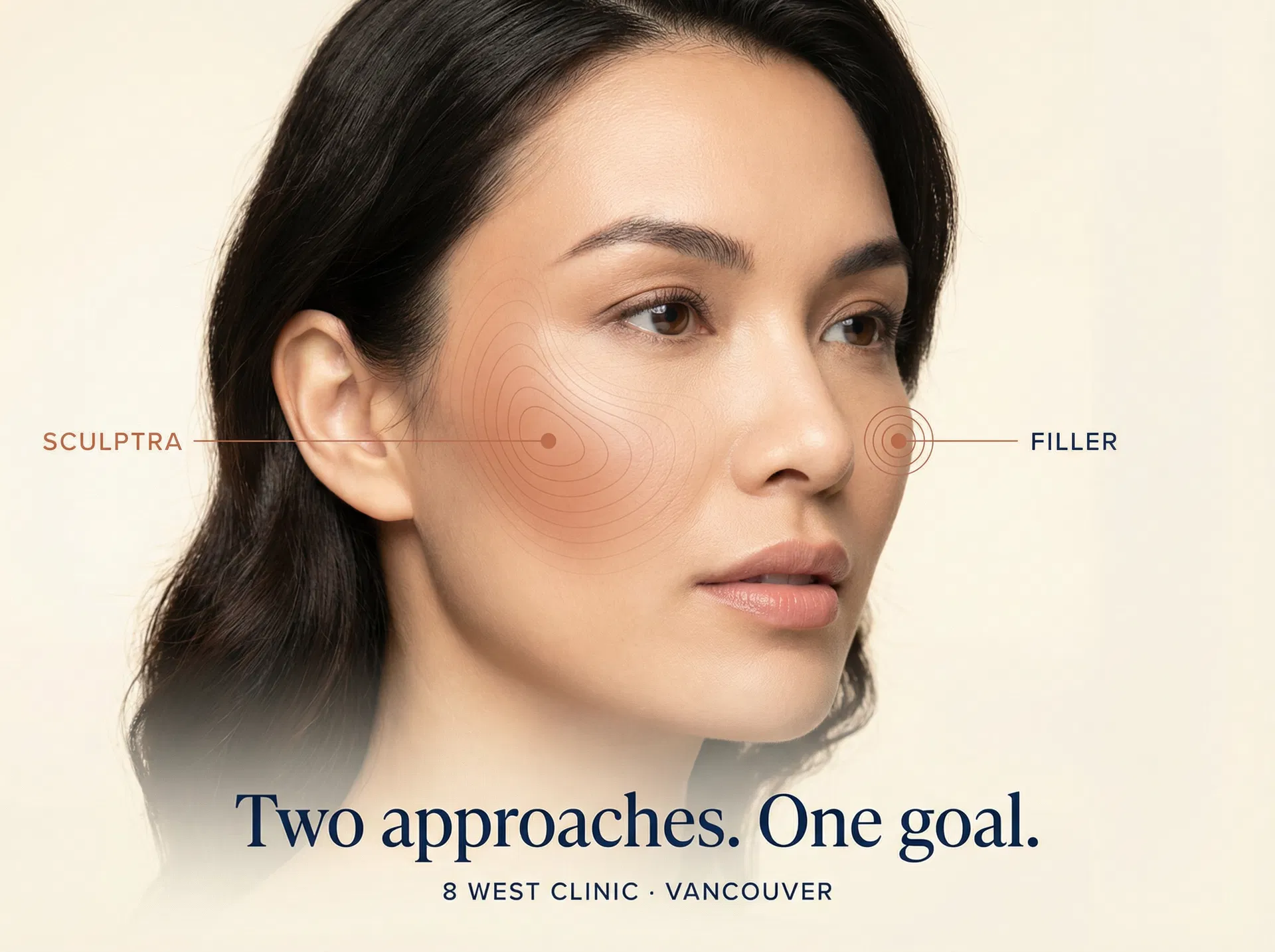
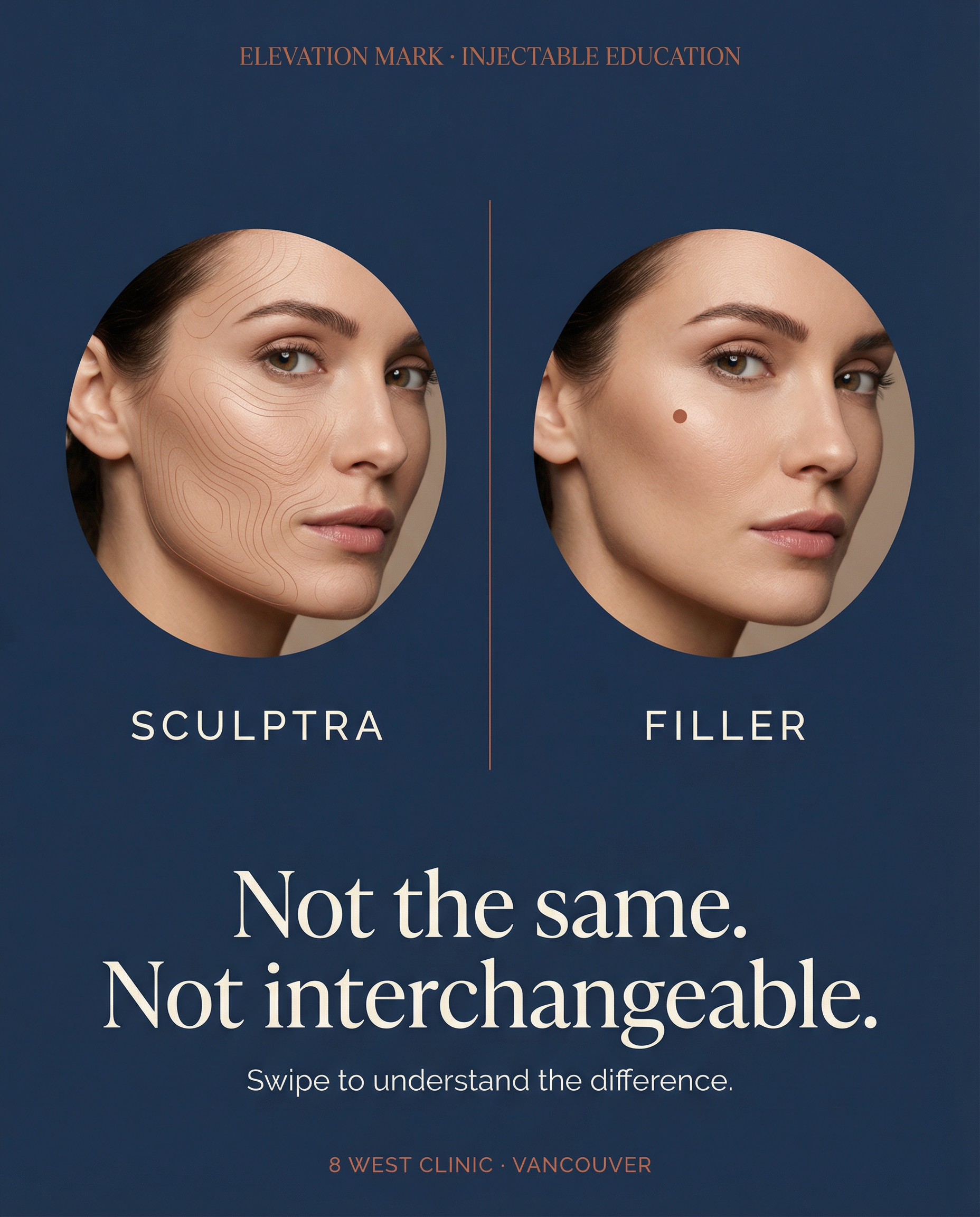
Two approaches. One goal.
Sculptra and filler are fundamentally different tools. The Elevation Mark visual system makes that difference visible — and educates patients before they even walk through the door.
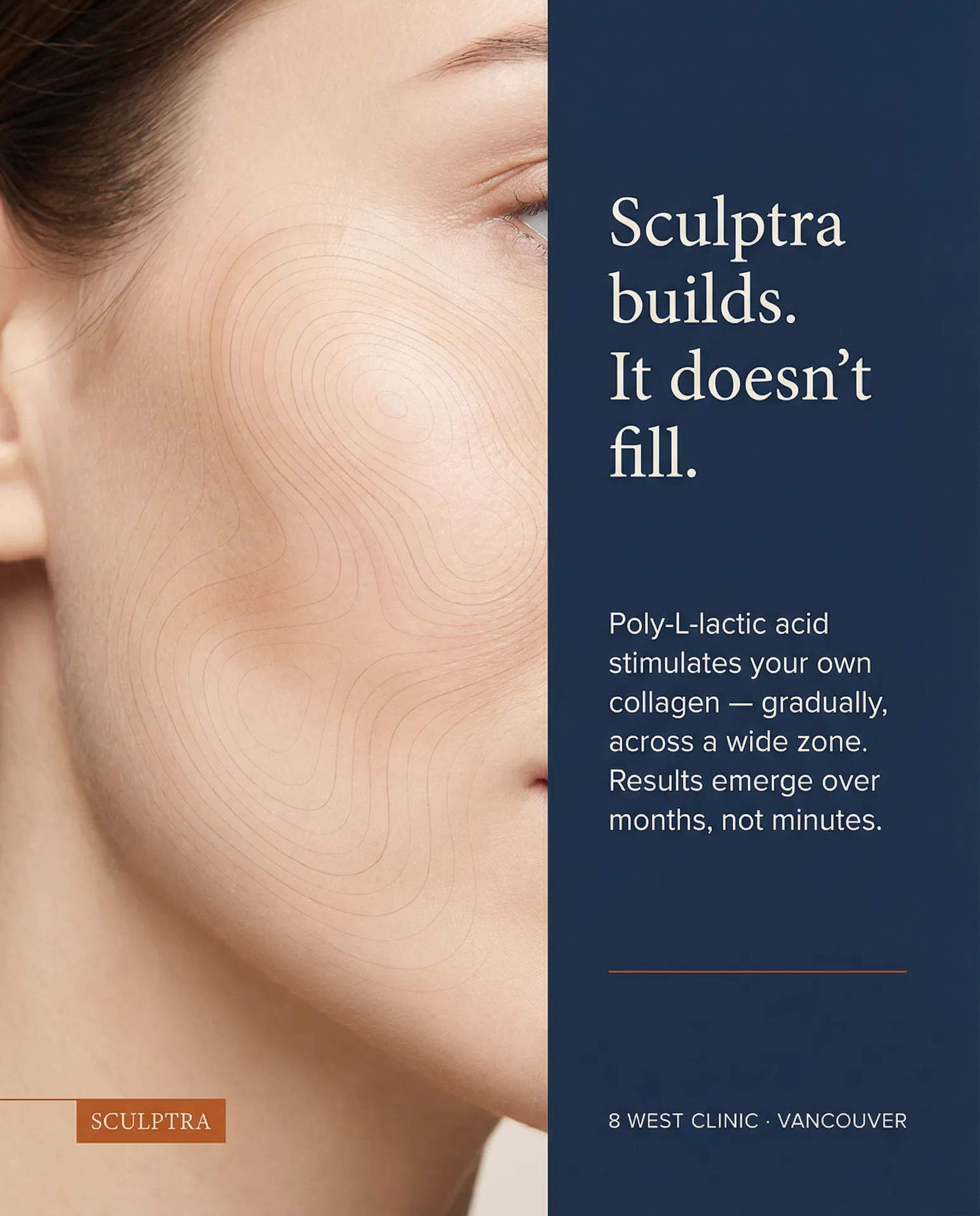
Diffuse field stimulation
Poly-L-lactic acid · Collagen biostimulator
What it is: A collagen biostimulator injected across a wide treatment zone. Poly-L-lactic acid microparticles trigger a gradual inflammatory response that stimulates your own collagen production over 3–6 months.
Why it matters: Results are natural, gradual, and long-lasting (2+ years). Ideal for volume loss across the mid-face, temples, and jawline — not a single point, but a field.
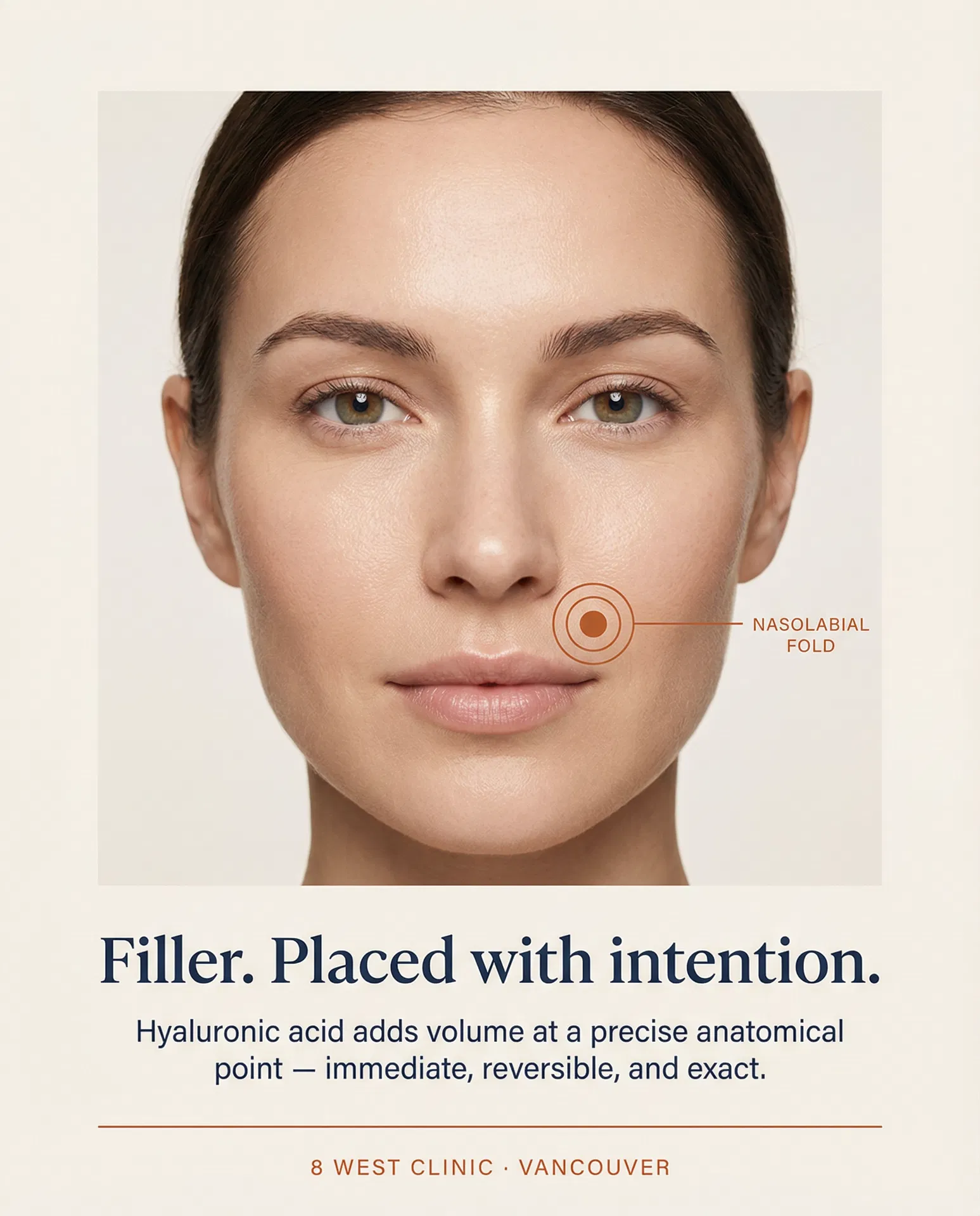
Precise point placement
Hyaluronic acid · Immediate volume
What it is: A gel-like substance injected at a specific anatomical point to add immediate volume. Hyaluronic acid is naturally occurring, reversible with hyaluronidase, and results are visible within minutes.
What it matters: Ideal for precise structural augmentation — nasolabial folds, lip border, tear trough, cheekbone apex. One point, one intention. Lasts 9–18 months.
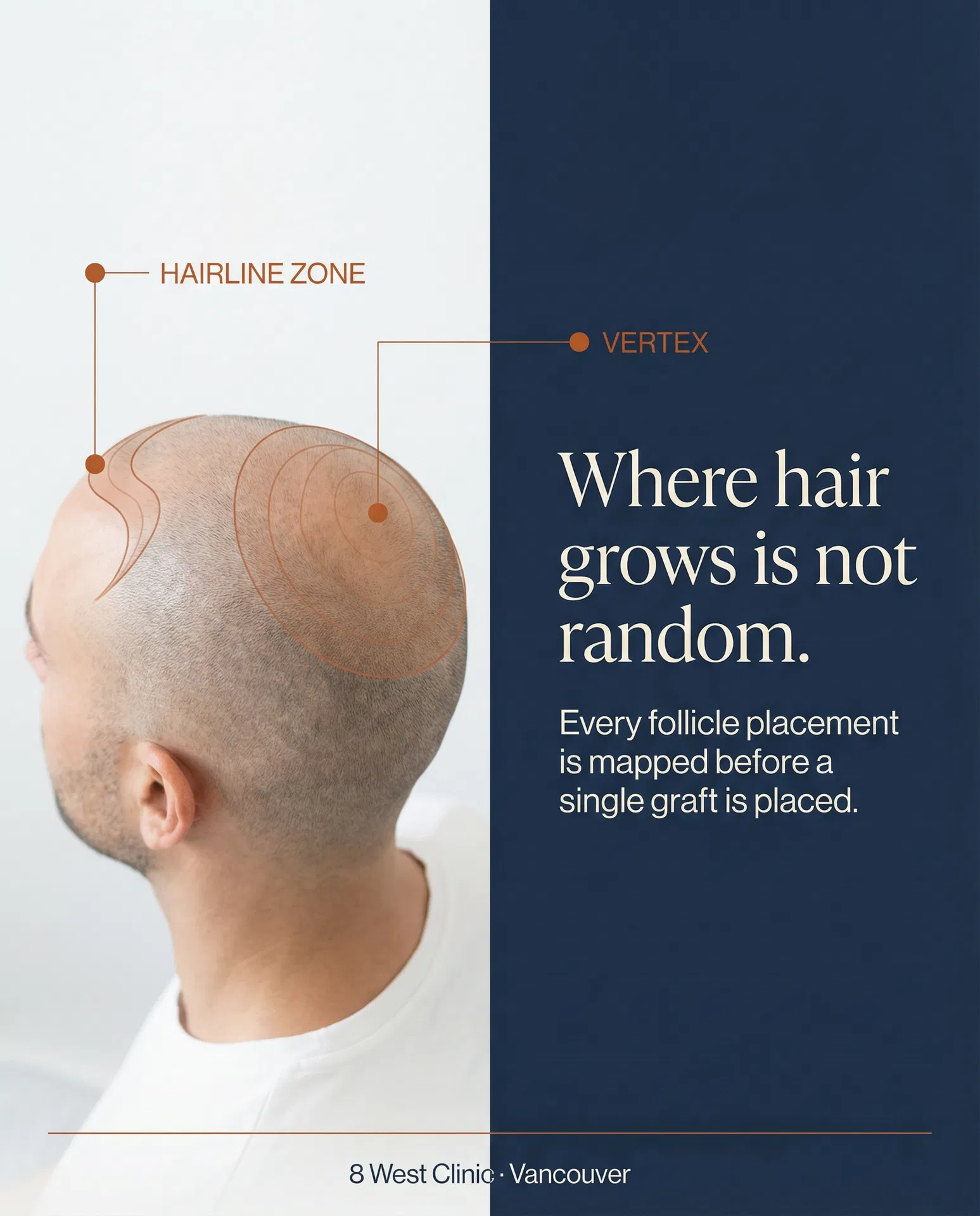
The scalp is terrain too.
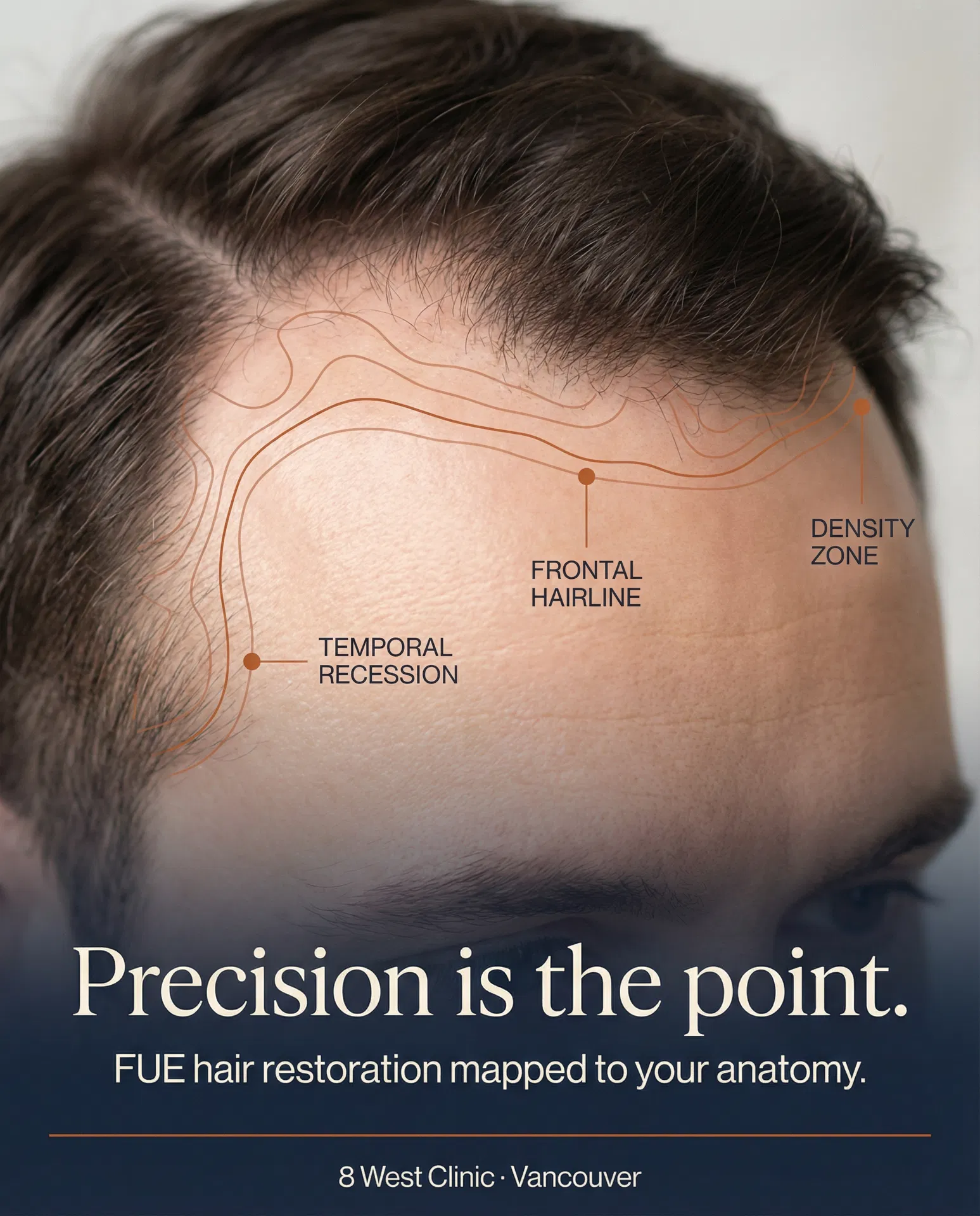
Hair restoration is not a transplant — it is a cartographic exercise. The hairline, vertex, temporal recession zones, and follicular density gradients are mapped before a single graft is placed. The Elevation Mark system makes that precision visible.
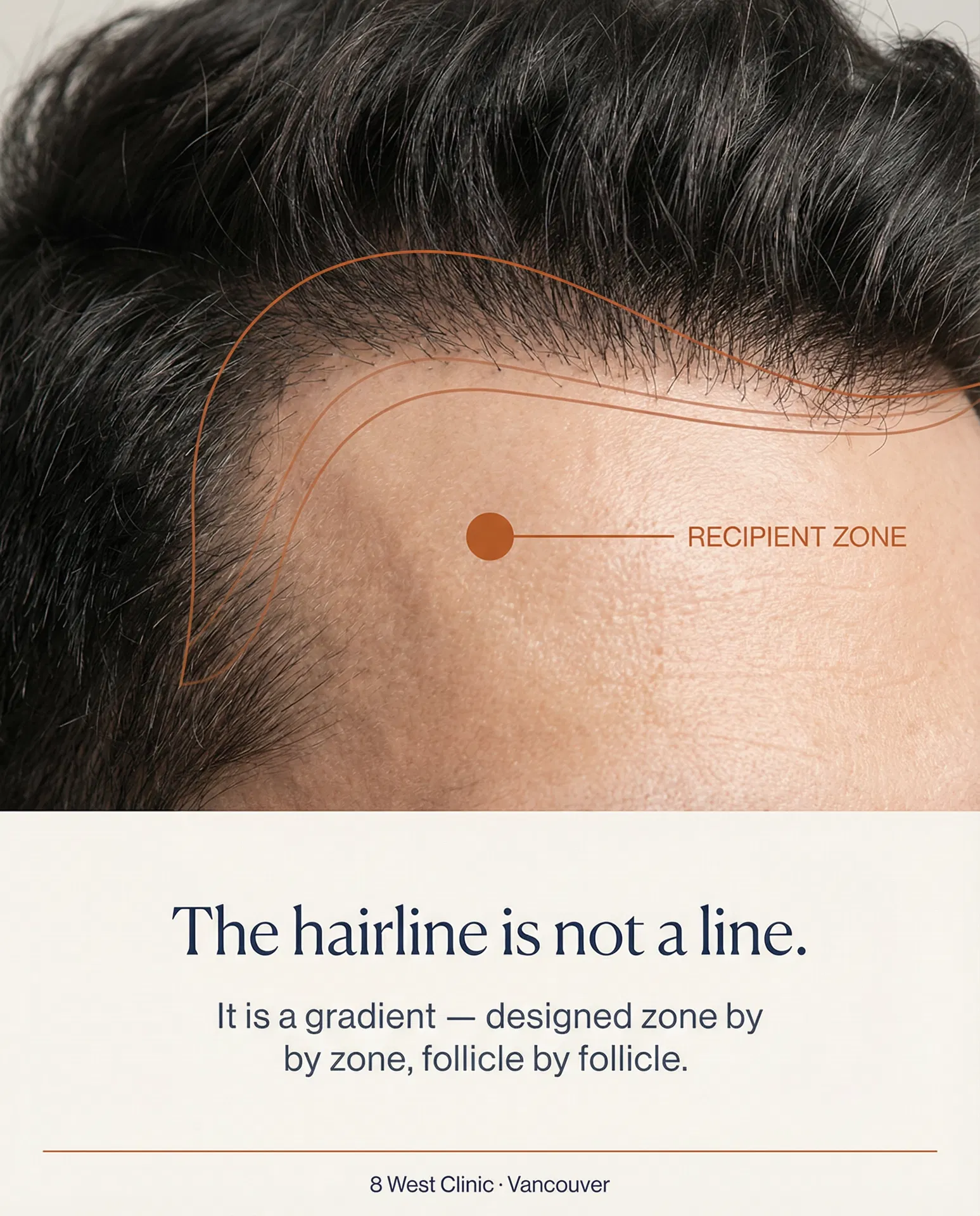
Frontal Hairline Design
The frontal hairline is not a straight line — it is a graduated arc with micro-irregularities that mimic natural growth. Each graft angle and direction is planned to the millimetre before the first incision.
Vertex & Crown Restoration
The crown is a spiral — follicles radiate outward from a central whorl point. Matching the natural growth direction at the vertex requires mapping the existing pattern before placing any grafts.
Density & Zone Planning
Graft density is not uniform. Higher density is placed at the frontal hairline where visual impact is greatest; lower density transitions toward the crown. The elevation map determines the gradient.
8 West Clinic · Elevation Mark Visual Strategy · Internal concept document. Not for external distribution. The system scales across Rhinoplasty, Medical Aesthetics, and Health Optimization — only the terrain changes.
Reusable UI Patterns
These are the reusable UI patterns used across all inner pages, knowledge hub, FAQ sections, and comparison views. Every component uses the V2 terracotta token system. Sage (#8A9E8C) is forbidden — replace with terracotta (#C4622A) everywhere.
- White background (#FFFFFF), not Ivory — cards need to stand out from the Ivory page background.
- Border: 1px solid #E8E2D9 at rest. On hover: #C4622A (Terracotta).
- Hover shadow: 0 4px 20px rgba(196,98,42,0.10) — terracotta-tinted, not grey.
- Hover lift: translateY(-2px). Transition: 0.2s ease on border-color, box-shadow, and transform.
- Padding: 28px 24px 32px. Icon container: 32×32px, rgba(196,98,42,0.08) background, terracotta icon.
- Question: NHaasGrotesk 400, 15px, rgba(27,47,78,0.85). On hover: full Navy.
- Icon: 24×24px, 1px solid #E8E2D9, "+" in terracotta. When open: rotate 45deg, fill terracotta, text ivory.
- Answer: NHaasGrotesk 300, 14px, #4A5568, line-height 1.7, max-width 640px.
- Divider: 1px solid #E8E2D9 below each item. Trigger padding: 20px top and bottom.
| Closed Rhinoplasty | Preservation ★ | Open Rhinoplasty | |
|---|---|---|---|
| External scar | None | None | Small columella scar |
| Recovery time | 7–10 days | 5–7 days | 10–14 days |
| Structural change | Moderate | Conservative | Extensive |
| Best for | Tip refinement | Natural bridge, subtle goals | Complex revision, major reshaping |
| Dr. B preference | ✓ | ✓ Primary technique | ✓ When indicated |
- Featured column header: Navy bg, Ivory text. Other headers: Ivory bg, Navy text.
- Row labels: NHaasGrotesk 400, 12px, Navy, Ivory background. Always leftmost column.
- Featured column cells: rgba(196,98,42,0.04) background wash.
- Mark the recommended column with ★ in the header — never use colour alone.
- Always include a "Best for" row so patients can self-select without reading the full table.
- Search input: white bg, 1px solid #E8E2D9. On focus: border-color #C4622A. No border-radius.
- Placeholder: NHaasGrotesk 300, 14px, #C4B8A8 (Warm Stone).
- Filter pills: NHaasGrotesk 300, 12px, white bg, 1px solid #E8E2D9. Active: Navy fill, Ivory text.
- Pill hover: terracotta border (#C4622A), Navy text. Transition: 0.15s.
- Pills never use rounded corners — same sharp-edge rule as buttons.
- Image area: 160px height, Navy gradient placeholder. In Webflow: CMS image field, object-fit: cover.
- Category label: NHaasGrotesk 400, 10px, ALL CAPS, letter-spacing 0.1em, Terracotta. Margin-bottom 8px.
- Title: NHaasGrotesk 400, 15px, Navy, line-height 1.4. Primary read target — do not reduce size.
- Excerpt: NHaasGrotesk 300, 13px, #4A5568, line-height 1.6. Max 2–3 lines.
- Meta: NHaasGrotesk 300, 11px, Warm Stone (#C4B8A8). Separated by a centred dot.
- Hover: terracotta border, shadow, 2px lift, 0.2s transition — same as Info Cards.
- Vertical line: 3px wide, Terracotta (#C4622A), full height of the item. Margin-top: 4px.
- Gap between line and text: 28px.
- Title: NHaasGrotesk 400, 16px, Navy. Body: NHaasGrotesk 300, 14px, #4A5568, line-height 1.7.
- Item padding: 28px top and bottom. Divider: 1px solid #E8E2D9. No divider after last item.
- Use for: surgical philosophy, clinic values, "why choose us" lists, process steps.
- Default: Ivory bg (#F9F6F1), 1px solid #E8E2D9, #4A5568 text.
- Terracotta: rgba(196,98,42,0.06) bg, 1px solid #C4622A, #C4622A text. Used for featured/recommended items.
- Navy: #1B2F4E bg, #1B2F4E border, #F9F6F1 text. Used for active/selected state.
- All variants: NHaasGrotesk 300, 11px, letter-spacing 0.06em, padding 4px 12px. No border-radius.
How Dr. Buonassisi Approaches Rhinoplasty
No two noses are the same. The technique is always chosen to suit the patient's anatomy and goals.
Everything You Need to Make an Informed Decision
92 articles, 82 videos, and patient guides — written and reviewed by Dr. Buonassisi's team.
- Eyebrow: NHaasGrotesk 400, 11px, ALL CAPS, letter-spacing 0.18em, Terracotta (#C4622A). Margin-bottom 12px.
- Display title: Canela Light, clamp(28px, 3.5vw, 44px), line-height 1.15. Navy on light bg, Ivory on dark bg.
- Lead sentence: NHaasGrotesk 300, 16px, #4A5568 on light / rgba(249,246,241,0.7) on dark. Max-width 640px.
- Canela is used ONLY for section display titles and hero headlines. Never for body copy, labels, or UI text.
- Background: rgba(196,98,42,0.05). Left border: 3px solid #C4622A. Padding: 16px 20px.
- Label: NHaasGrotesk 400, 10px, ALL CAPS, letter-spacing 0.1em, Terracotta. Margin-bottom 6px.
- Body: NHaasGrotesk 300, 13px, #4A5568, line-height 1.6.
- Use sparingly — maximum 1–2 per page section. Overuse dilutes the visual signal.
Visual Specification
| Background | Ivory #F9F6F1 — matches page background so illustrations sit flush |
| Primary linework | Navy #1B2F4E — all outlines, structural lines, anatomical forms |
| Accent / highlight | Terracotta #C4622A — surgical zone, key area, element being modified |
| Secondary fill | Stone #EDE8DF — interior fills, cartilage cross-sections |
| Stroke weight | 1.5–2px primary lines; 1px secondary detail lines |
| Style | Flat vector line art — no shading, no gradients, no drop shadows |
| Labels | None on the illustration — label is the card title below |
| Aspect ratio | 1:1 square — all illustrations are square crops |
| Canvas size | 800×800px minimum; displayed at 240px on cards |
| File format | WebP (CDN-served) — original PNG in /webdev-static-assets/ |
AI Generation Prompt Template
// Copy and fill in [SUBJECT] and [DETAIL]
Minimal anatomical medical illustration of [SUBJECT], flat vector line art, ivory #F9F6F1 background, navy #1B2F4E primary linework, terracotta #C4622A accent fills on [DETAIL — the key zone being shown], no shading, no gradients, no labels, no text, no drop shadows, surgical precision aesthetic, clean white space, 1:1 square composition, medical textbook style, elegant and restrained, consistent stroke weight throughout
Prompt Field Guide
Approved Illustrations — Surgical Manoeuvres
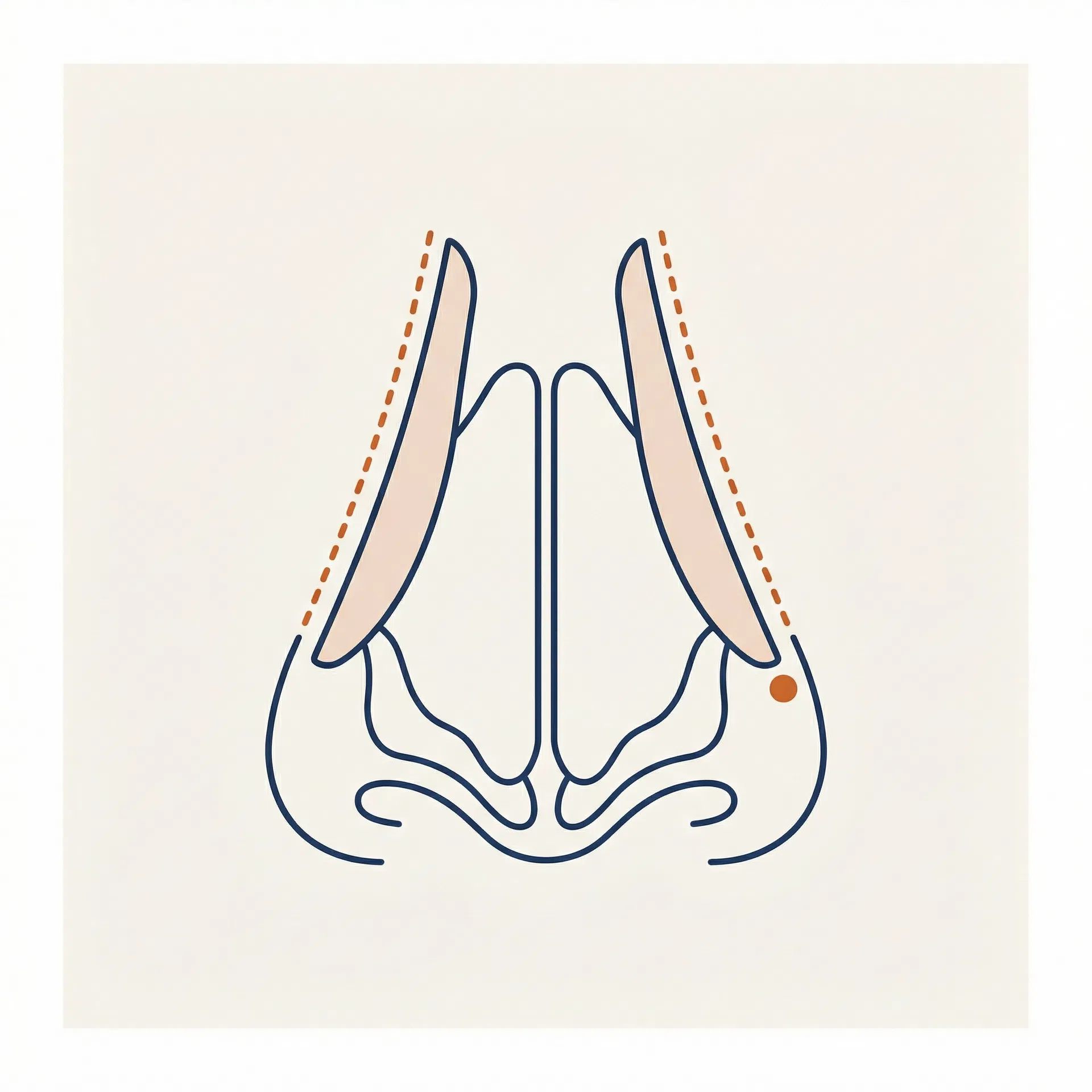
Cephalic Trim
Tip / Lower Lateral Cartilage
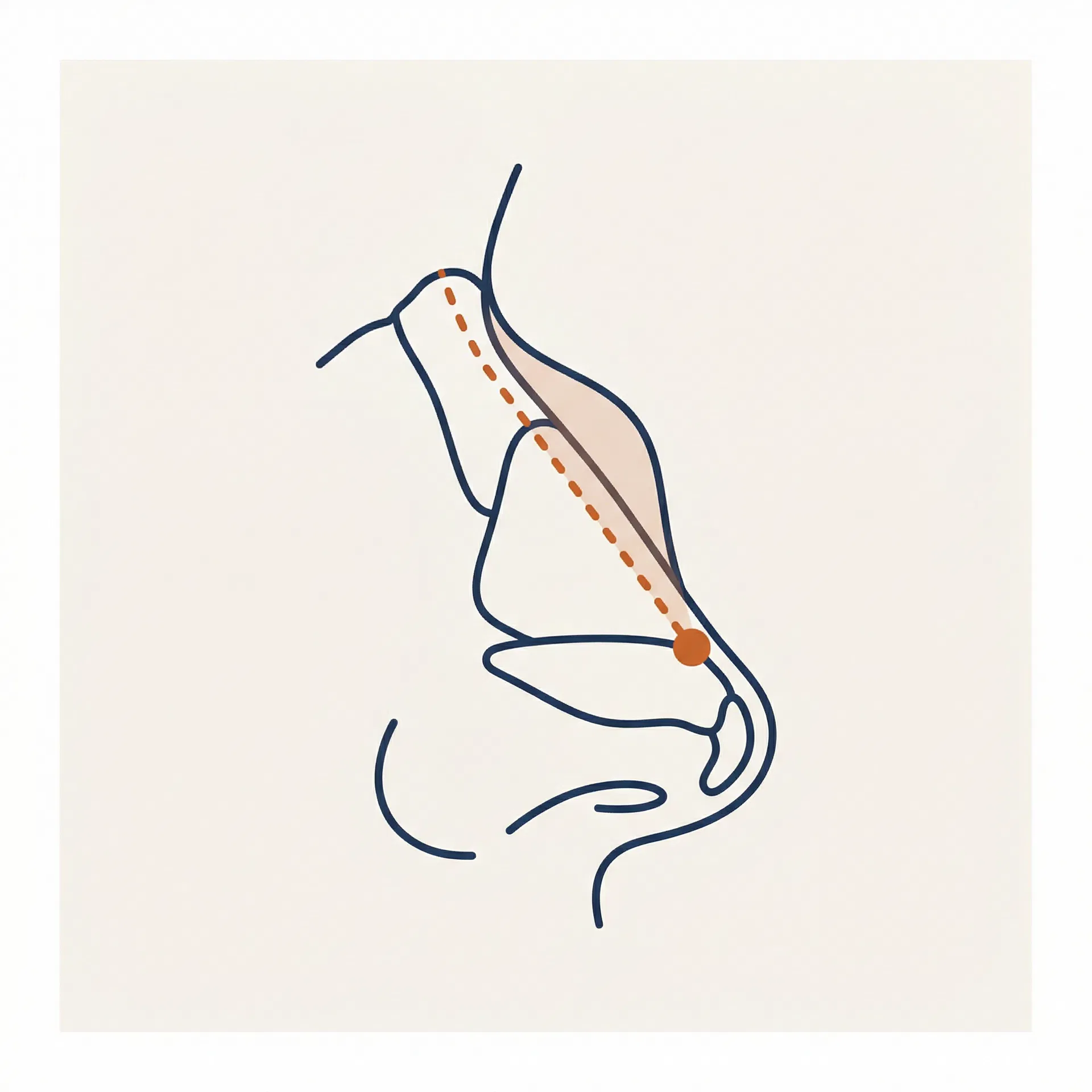
Hump Reduction
Dorsum / Bridge
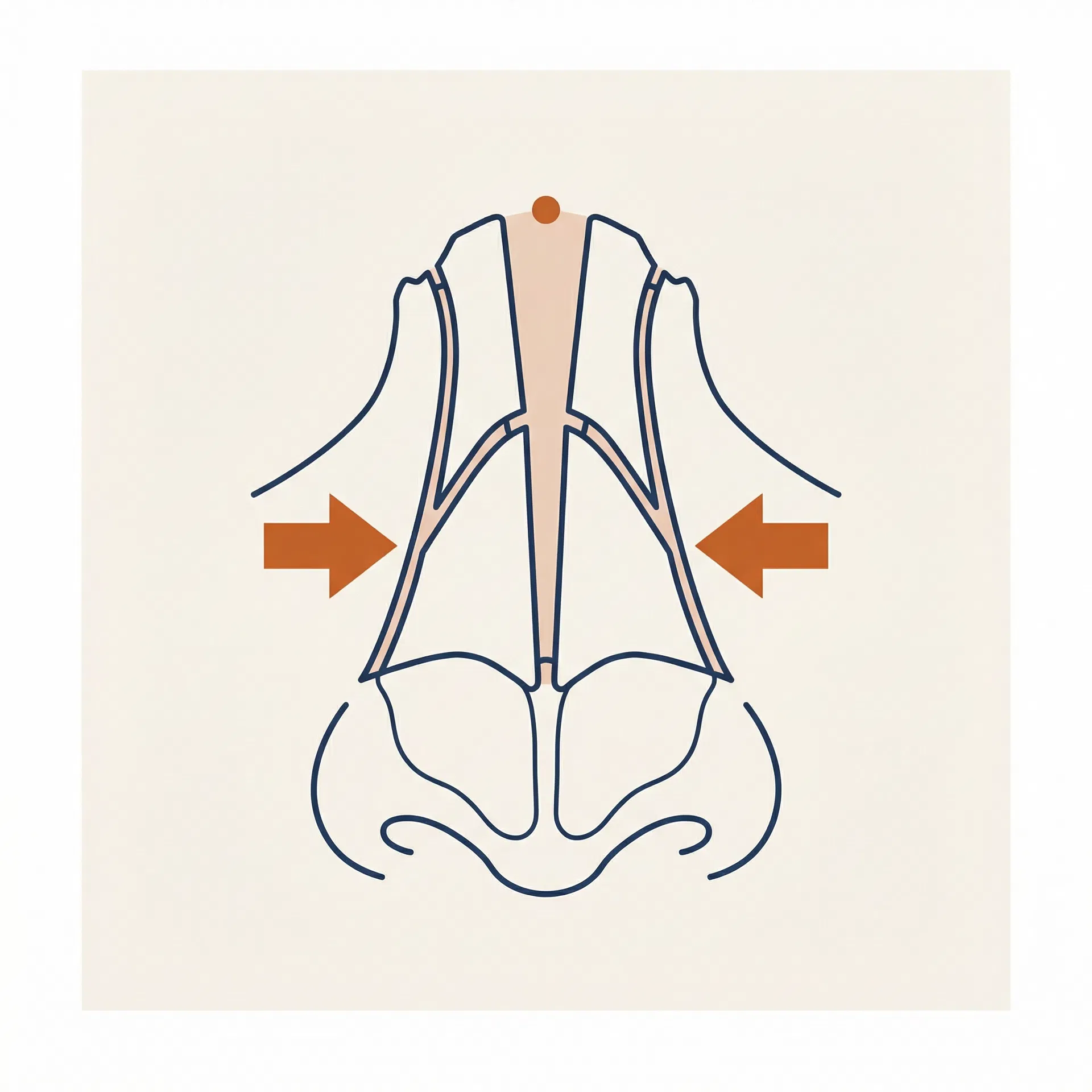
Osteotomy
Nasal Bones
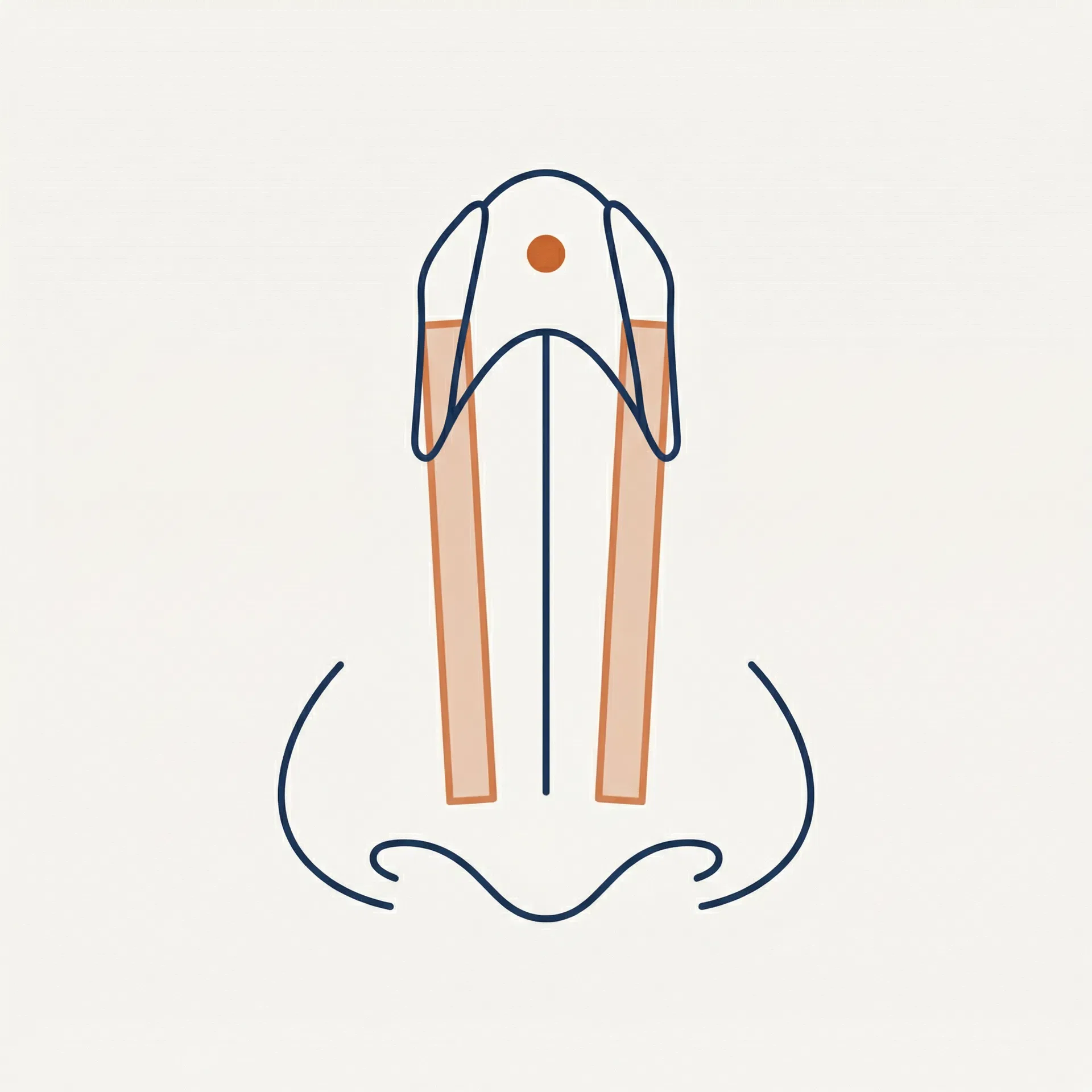
Spreader Grafts
Middle Vault
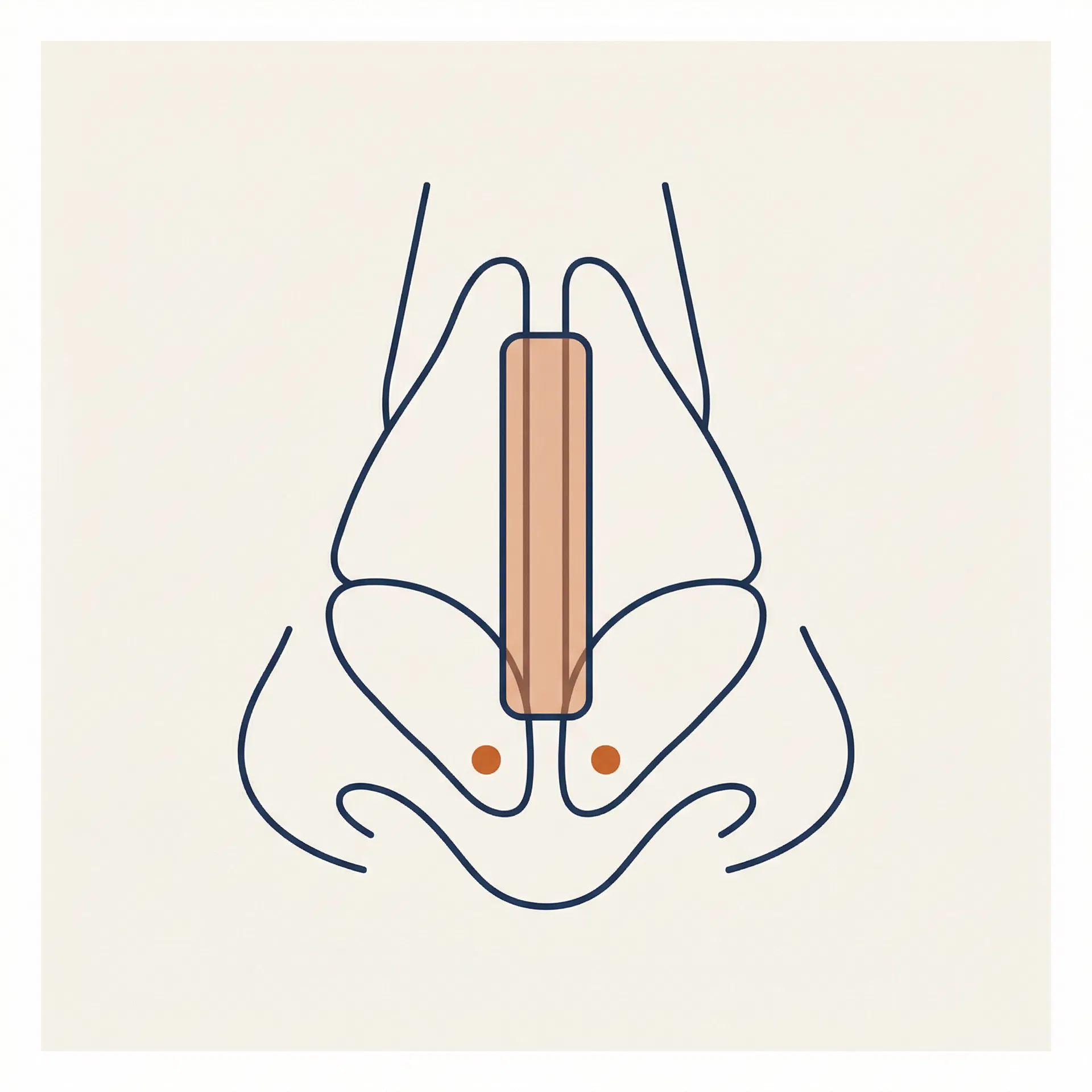
Columellar Strut
Tip Support / Columella
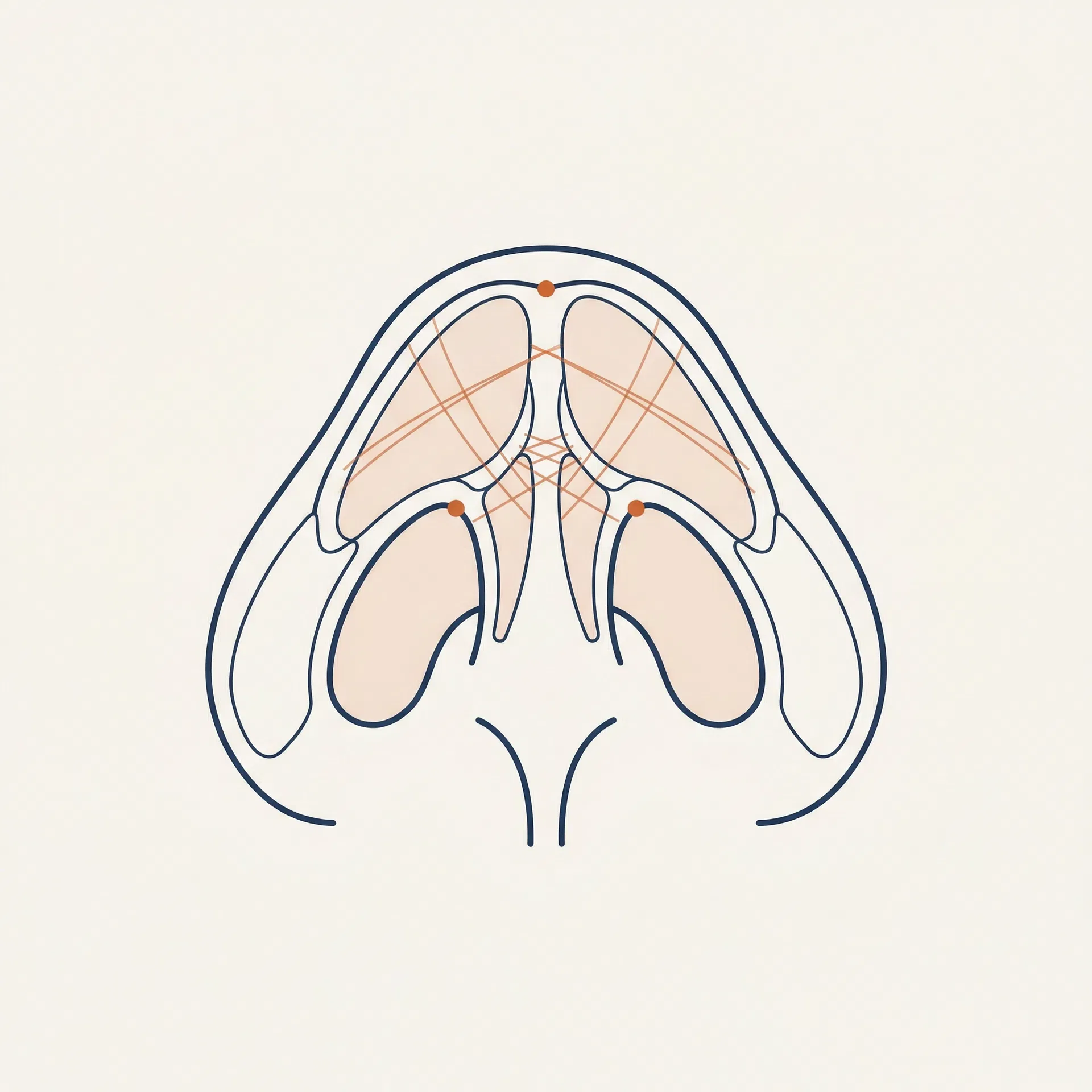
Tip Sutures
Tip / Dome
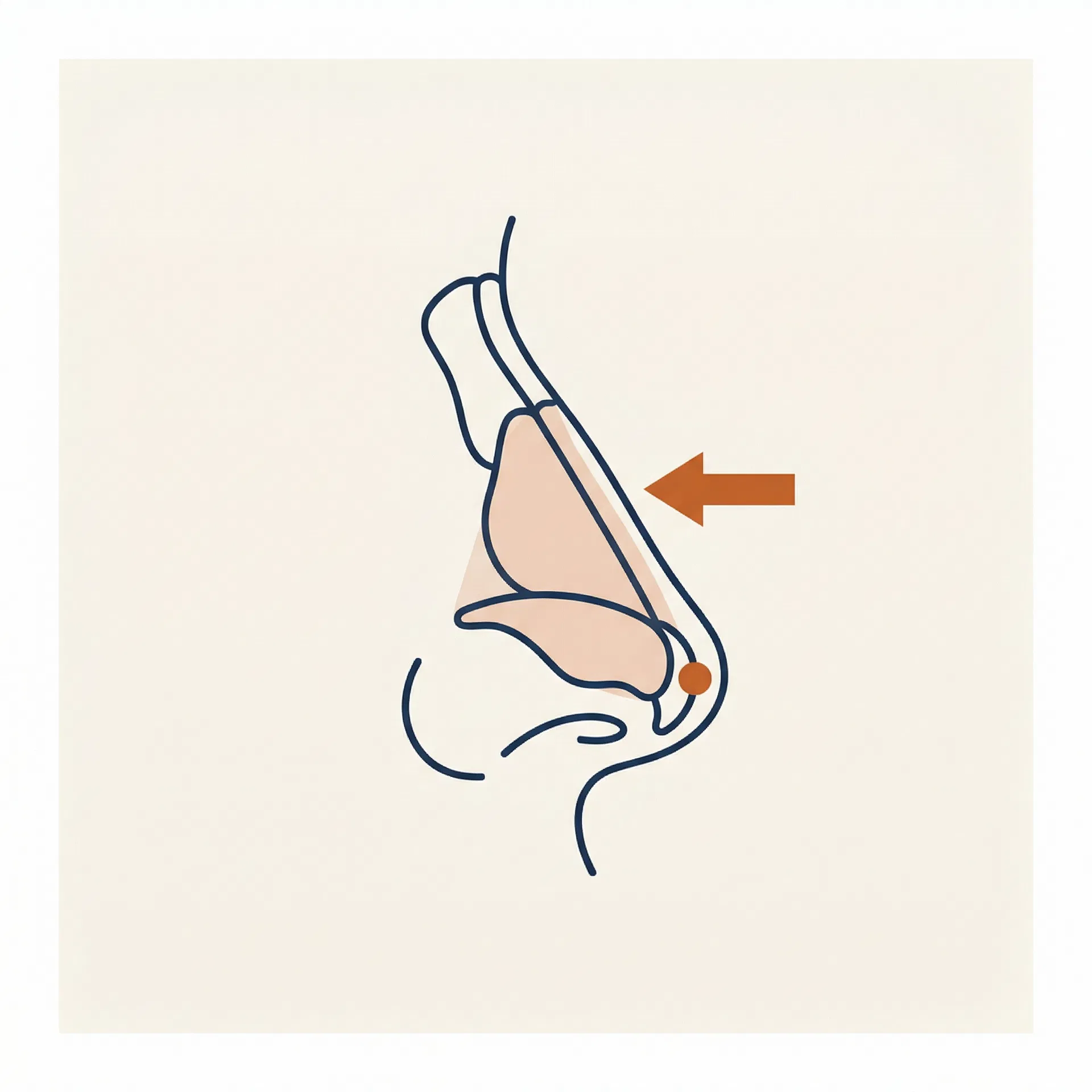
Deprojection
Tip / Profile
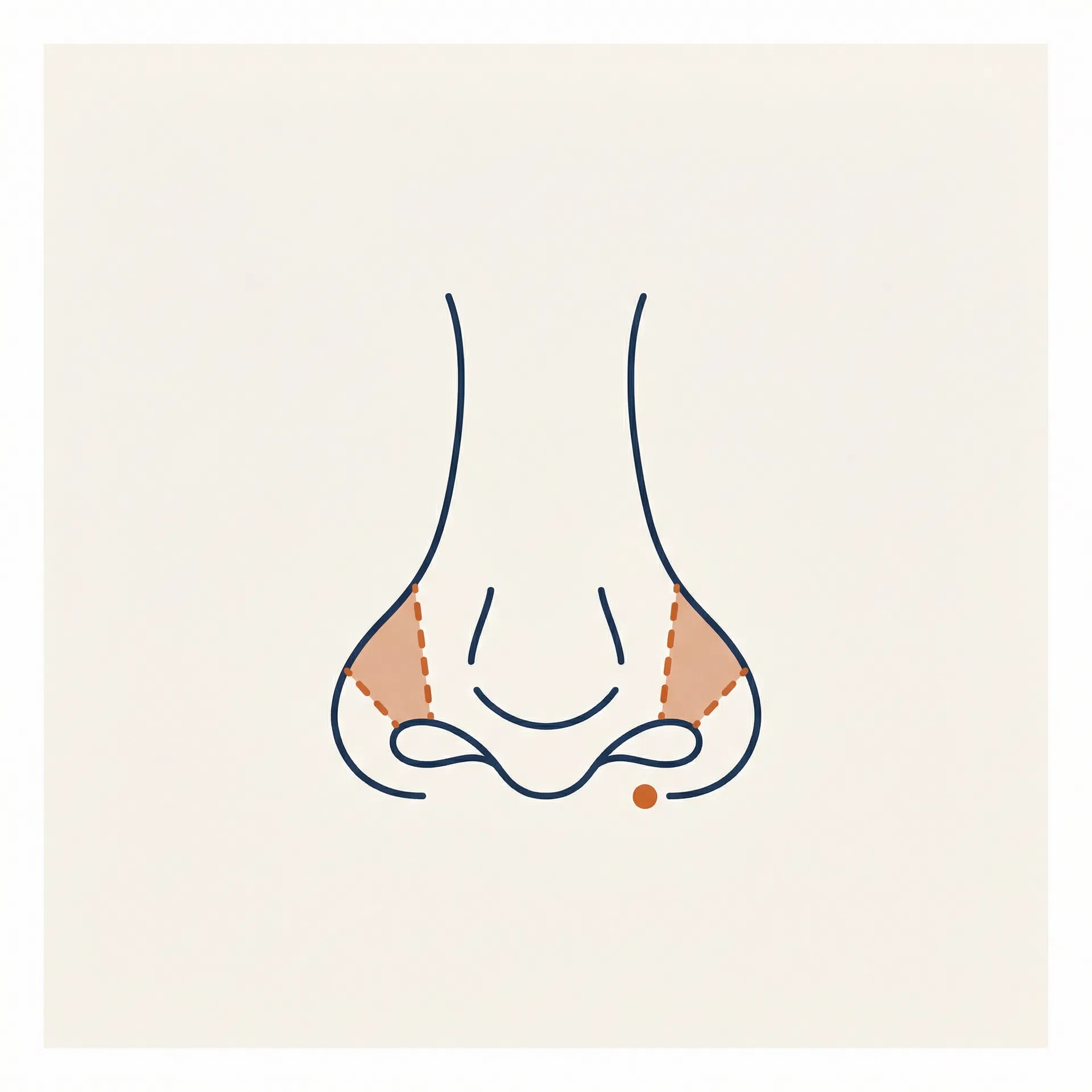
Alar Base Reduction
Base / Nostrils
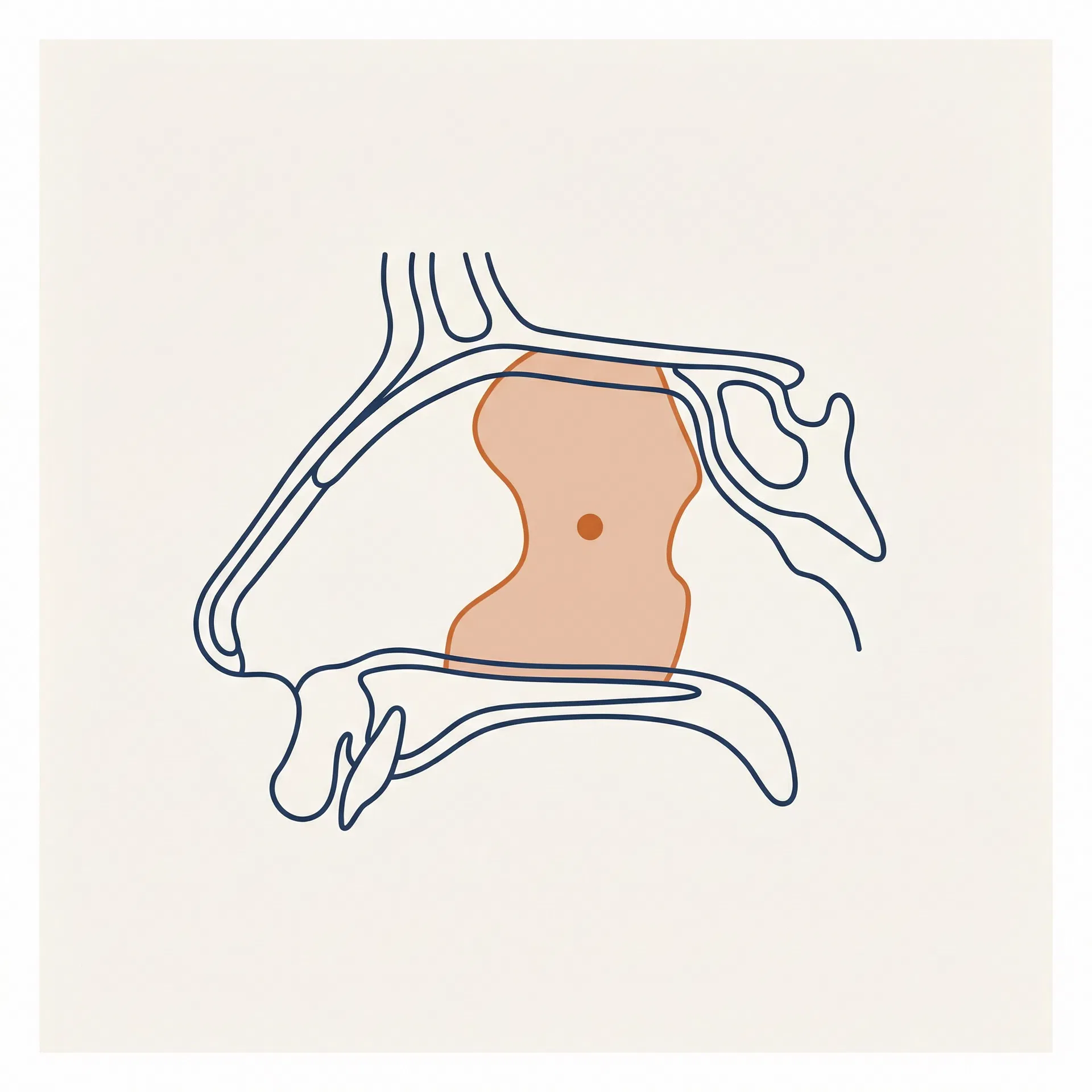
Septoplasty
Septum / Airway
- Every new illustration must use the prompt template above — do not deviate from palette or style parameters.
- The Terracotta accent must highlight the surgical zone being described — not used decoratively.
- Never add text, labels, arrows, or annotations to the illustration itself. The card title carries all labelling.
- Generate at 800×800px minimum. Store PNG in /webdev-static-assets/ and use the CDN WebP URL in code.
- Naming convention: manoeuvre-[kebab-case-name].png — e.g. manoeuvre-alar-base.png
- Illustrations are used at 240px display size in the manoeuvre grid. Do not use below 120px.
Component Anatomy
| Layer | Panel 1 (Patient) | Panel 2 (Clinic) |
|---|---|---|
| Background | Ivory #F9F6F1 | Navy #1B2F4E |
| Image position | Right column | Left column |
| Text position | Left column | Right column |
| Eyebrow colour | Terracotta #C4622A | Terracotta #C4622A |
| Headline | Canela Light, Navy | Canela Light, Ivory #F9F6F1 |
| Body text | NHaasGrotesk 300, #4A5568 | NHaasGrotesk 300, rgba(249,246,241,0.75) |
| Bullet icon | Terracotta ◆, 10px | Terracotta ◆, 10px |
| Min height | 480px per panel | 480px per panel |
| Text padding | 64px 52px | 64px 52px |
| Image | Full bleed, object-fit: cover | Full bleed, object-fit: cover |
- Always use exactly two panels — Panel 1 (patient/user perspective) always comes first, Panel 2 (clinic/brand perspective) second.
- Image and text sides alternate: Panel 1 is text-left/image-right; Panel 2 is image-left/text-right. Never break this alternation.
- Panel 1 background is always Ivory (#F9F6F1). Panel 2 background is always Navy (#1B2F4E). Never swap.
- Both eyebrow labels use Terracotta — it's the one consistent element across both backgrounds and signals the relationship.
- Bullet icon: Terracotta ◆ (U+25C6), 10px, margin-top 5px to align with the first line of text.
- Images are full-bleed with object-fit: cover. Minimum panel height: 480px. No captions on images.
- In Webflow: each panel is a 2-column grid div. The component is a flex column wrapper with no gap between panels.
- Isolated preview URL: /component-preview/v2/dual-split-panel — use for Figma import via screenshot.
MedicalProcedure JSON-LD schema for Google rich results. Targets: rhinoplasty Vancouver, what is rhinoplasty, nose job Vancouver.| Element | Token / Rule |
|---|---|
| Background | Ivory #F9F6F1 |
| Section eyebrow | NHaasGrotesk 400 10px · #C4622A · letter-spacing 0.14em · uppercase |
| H2 heading | Canela 300 · clamp(28px, 2.8vw, 44px) · Navy #1B2F4E · line-height 1.15 |
| Spec Box border | 3px solid #C4622A · bg rgba(196,98,42,0.04) · padding 16px 20px |
| Body text | NHaasGrotesk 300 · 15px · #4A5568 · line-height 1.8 |
| Internal links | #C4622A · text-decoration underline · underline-offset 3px |
| At a Glance label | NHaasGrotesk 400 · 10px · #C4622A · uppercase · letter-spacing 0.14em |
| Row label | NHaasGrotesk 400 · 11px · rgba(27,47,78,0.5) · uppercase · letter-spacing 0.08em |
| Row value | NHaasGrotesk 400 · 15px · Navy #1B2F4E |
| Row note | NHaasGrotesk 300 · 12px · #4A5568 |
| Row divider | 1px solid #E8E2D9 |
| Left border accent | 3px solid #C4622A · aligns to row height |
| Grid gap | 80px between columns |
| Schema | MedicalProcedure JSON-LD · inline <script type="application/ld+json"> |
- The Spec Box (left border + tinted bg) MUST appear as the first content element after the H2 — it anchors the definition for Google's featured snippet extraction.
- Body paragraphs MUST include at least 2 internal links to other pages in the rhinoplasty site (e.g., Techniques, Consultation, Cost).
- The At a Glance column MUST include: Procedure time, Anaesthesia, Social downtime, Final result, Techniques available, Revision accepted, Cost range.
- Cost range row MUST link to the Cost & Financing page.
- MedicalProcedure schema MUST be embedded as an inline script tag — not in a separate file.
- Column ratio: 1fr / 1fr at desktop. Stack to single column below 768px (left column first).
- Background: Ivory #F9F6F1 — NOT Stone #EDE5DC. This component always sits on a light background.
- This component is page-specific (rhinoplasty landing page). Adapt content and schema for other procedure pages (e.g., facelifts, injectables).
12 Components
Every section of the rhinoplasty site is built from one of these 12 named components. Each component has a canonical data-component attribute, an isolated preview URL, a Webflow CMS field map, and a mobile behaviour note.
| # | Name | Purpose | Default BG | Shared | Status |
|---|---|---|---|---|---|
| 01 | Primary hero section — Canela headline, terracotta CTAs, credential checkmarks, and scrolling trust ticker. | Ivory #F9F6F1 | — | Approved ✓ | |
| 02 | Geographic and authority credential columns. | Stone #EDE8DF | — | Removed | |
| 03 | Full-width two-column strip. | Left: natural image · Right: Ivory #F9F6F1 | Yes | Approved ✓ | |
| 03b | UI Component K. | Panel 1: Ivory #F9F6F1 · Panel 2: Navy #1B2F4E | Yes | Pending | |
| 04 | Filterable card grid for approaches, techniques, and goals. | Ivory #F9F6F1 | — | Pending | |
| 05 | Numbered step-by-step care pathway from first inquiry to recovery. | White #FFFFFF | — | Approved ✓ | |
| 06 | Full-bleed clinic interior photo with integrated services card grid. | Ivory #F9F6F1 | — | Approved ✓ | |
| 06 | Full-bleed clinic photo with caption watermark, followed by a two-column header (eyebrow + H2 left, intro paragraph right), terracotta Spec Box with 4 clinic differentiator bullets, 4-stat bar (founded year, locations, staff count, years experience), and integrated services card grid (3 columns, 6 services, each with name + one-line descriptor + geometric symbol). | Ivory #F9F6F1 | Yes | Approved ✓ | |
| 07 | Dark navy two-column section. | Navy #1B2F4E | Yes | Approved ✓ | |
| 08 | ⚠️ Note: The version currently on the landing page (/rhinoplasty-mockup/site) does not match this approved preview. | Stone #EDE5DC | Yes | Approved ✓ | |
| 09 | Expandable Q&A accordion. | Ivory #F9F6F1 | — | Approved ✓ | |
| 10 | Dark navy full-width centred section. | Navy #1B2F4E | Yes | Approved ✓ | |
| 11 | Not approved — removed from the landing page. | Ivory #F9F6F1 | — | Removed | |
| 12 | Full-width conversion section. | Navy #1B2F4E | Yes | Approved ✓ | |
| 13 | UI Component M. | Ivory #F9F6F1 | — | Approved ✓ | |
| 14 | UI Component N. | Navy #1B2F4E | Yes | Pending | |
| 15 | UI Component M (inner page variant). | Ivory #F9F6F1 | — | Pending | |
| 16 | UI Component P. | Ivory #F9F6F1 | — | Approved ✓ | |
| 17 | Two-column SEO/medical signal component. | White #FFFFFF | — | Approved ✓ | |
| 18 | Social proof strip. | White #FFFFFF | — | Pending | |
| 18 | Local SEO locations section. | Ivory #F9F6F1 | Yes | Approved ✓ | |
| 19 | Compact asymmetric banner (~380px tall) used at the top of every rhinoplasty inner page. | #1B2F4E | Yes | Approved ✓ | |
| 20 | Seven-card grid presenting each rhinoplasty technique offered at 8 West. | #F4EFE8 | — | Approved ✓ | |
| 21 | Nine-card grid presenting the surgical manoeuvres used in rhinoplasty using the Elevation Mark visual language. | #F9F6F1 | Yes | Approved ✓ | |
| 22 | Reusable component that appears directly below the inner page hero on every inner page. | #FFFFFF | Yes | Approved ✓ |
Landing Hero
Approved ✓Primary hero section — Canela headline, terracotta CTAs, credential checkmarks, and scrolling trust ticker. The trust ticker is part of this component, not a separate symbol.
| Field | Type | Source | Required |
|---|---|---|---|
| Eyebrow label | Plain text | CMS | Required |
| H1 headline | Plain text | CMS | Required |
| Subhead | Plain text | CMS | Required |
| Hero image | Image | CMS | Required |
| Primary CTA label | Plain text | Static | Required |
| Primary CTA URL | URL | Static | Required |
| Secondary CTA label | Plain text | Static | Optional |
| Credential check 1 | Plain text | Static | Required |
| Credential check 2 | Plain text | Static | Required |
| Trust ticker items | Multi-ref list | CMS Collection | Required |
Local SEO Credential Strip
Not Approved — RemovedGeographic and authority credential columns. Uses H2 + dl/dt/dd markup for SEO. Carries local search signals (city, province, board certification, specialty).
| Field | Type | Source | Required |
|---|---|---|---|
| H2 (screen-reader only) | Plain text | Static | Required |
| Column 1 term + value | Plain text ×2 | Static | Required |
| Column 2 term + value | Plain text ×2 | Static | Required |
| Column 3 term + value | Plain text ×2 | Static | Required |
| Column 4 term + value | Plain text ×2 | Static | Required |
Consultation Intro Strip
Approved ✓Shared SymbolFull-width two-column strip. Left (50%): Elevation Mark treated face photo — East Indian woman, facing right, ivory contour lines, terracotta annotation dots at TRICHION, GLABELLA, NASION, NASAL TIP, SUBNASALE, UPPER LIP, POGONION, MENTON. The EM graphic is baked into the image — no SVG overlay. Right (50%): Ivory panel. Eyebrow: "YOUR CONSULTATION" (terracotta). Canela H2: "An honest picture of what's possible for your face." Opening body paragraph (Dr. Buonassisi, 2,500+ procedures, not a filter). Three ◆ bullet points: facial anatomy assessment · computer imaging (terracotta link to consultation page) · honest candidacy review. Spec Box (UI-I) labelled "CANDIDACY & RISKS" at bottom. Modular — reusable for any service page where a consultation intro is needed. First introduction of the Elevation Mark concept to a landing page visitor.
| Field | Type | Source | Required |
|---|---|---|---|
| Eyebrow label | Plain text | Static | Required |
| H2 headline | Plain text | Static | Required |
| Opening body paragraph | Rich text | Static | Required |
| Bullet 1 keyword | Plain text | Static | Required |
| Bullet 1 body | Plain text | Static | Required |
| Bullet 2 keyword | Plain text | Static | Required |
| Bullet 2 body | Plain text | Static | Required |
| Consultation page URL | URL | Static | Required |
| Bullet 3 keyword | Plain text | Static | Required |
| Bullet 3 body | Plain text | Static | Required |
| Spec Box label | Plain text | Static | Required |
| Spec Box body | Rich text | Static | Required |
| Hero image (Elevation Mark treated) | Image | Static | Required |
Dual Split Panel — What You Want / What We Want
Pending ReviewShared SymbolUI Component K. Two stacked 50/50 panels. Panel 1 (What You Want): Ivory bg, text left / image right. Eyebrow + Canela H2 + 3 ◆ bullets. Panel 2 (What We Want): Navy bg, image left / text right. Eyebrow + Canela H2 + 3 ◆ bullets (light text on dark). Not currently on the landing page. Available for service pages, about pages, or any page where a patient-facing empathy / clinic-expertise contrast is needed.
| Field | Type | Source | Required |
|---|---|---|---|
| Panel 1 eyebrow | Plain text | Static | Required |
| Panel 1 headline | Plain text | Static | Required |
| Panel 1 bullet 1 keyword + body | Plain text | Static | Required |
| Panel 1 bullet 2 keyword + body | Plain text | Static | Required |
| Panel 1 bullet 3 keyword + body | Plain text | Static | Required |
| Panel 1 image | Image | Static | Required |
| Panel 2 eyebrow | Plain text | Static | Required |
| Panel 2 headline | Plain text | Static | Required |
| Panel 2 bullet 1 keyword + body | Plain text | Static | Required |
| Panel 2 bullet 2 keyword + body | Plain text | Static | Required |
| Panel 2 bullet 3 keyword + body | Plain text | Static | Required |
| Panel 2 image | Image | Static | Required |
Service Explorer
Pending ReviewFilterable card grid for approaches, techniques, and goals. Card count varies by active filter. Each card links to a service or technique detail page.
| Field | Type | Source | Required |
|---|---|---|---|
| Section eyebrow | Plain text | Static | Required |
| Section headline | Plain text | Static | Required |
| Filter labels (3) | Plain text list | Static | Required |
| Card title | Plain text | CMS Collection | Required |
| Card body | Plain text | CMS Collection | Required |
| Card tag | Plain text | CMS Collection | Required |
| Card filter category | Option | CMS Collection | Required |
| Card link URL | URL | CMS Collection | Required |
Patient Journey
Approved ✓Numbered step-by-step care pathway from first inquiry to recovery. Communicates the clinic's structured, supported process.
| Field | Type | Source | Required |
|---|---|---|---|
| Section eyebrow | Plain text | Static | Required |
| Section headline | Plain text | Static | Required |
| Step number (1–6) | Number | CMS Collection | Required |
| Step title | Plain text | CMS Collection | Required |
| Step body | Plain text | CMS Collection | Required |
| Step icon | SVG / Image | CMS Collection | Optional |
Clinic Built for This
Approved ✓Full-bleed clinic interior photo with integrated services card grid. Communicates the physical environment and the breadth of in-house capabilities.
| Field | Type | Source | Required |
|---|---|---|---|
| Clinic photo | Image | Static | Required |
| Section headline | Plain text | Static | Required |
| Section body | Rich text | Static | Required |
| Service item (4–6) | Plain text | Static | Required |
| CTA label | Plain text | Static | Optional |
| CTA URL | URL | Static | Optional |
Clinic Built For This
Approved ✓Shared SymbolFull-bleed clinic photo with caption watermark, followed by a two-column header (eyebrow + H2 left, intro paragraph right), terracotta Spec Box with 4 clinic differentiator bullets, 4-stat bar (founded year, locations, staff count, years experience), and integrated services card grid (3 columns, 6 services, each with name + one-line descriptor + geometric symbol). Facial Plastic Surgery card is highlighted with terracotta tint and Primary Focus label. Hover state: background lifts to #F4F0EB (standard) or #F5EDE6 (primary). Ivory background. Shared symbol — reusable on any service page. Targets: facial plastic surgery clinic Vancouver, rhinoplasty clinic Vancouver.
| Field | Type | Source | Required |
|---|---|---|---|
| Clinic photo | Image | Static | Required |
| Photo caption | Plain text | Static | Optional |
| Section eyebrow | Plain text | Static | Required |
| H2 headline | Plain text | Static | Required |
| Intro paragraph | Rich text | Static | Required |
| Spec Box label | Plain text | Static | Required |
| Differentiator bullet (×4) | Plain text | Static | Required |
| Stat value (×4) | Plain text | Static | Required |
| Stat label (×4) | Plain text | Static | Required |
| Service tag (×6) | Plain text | Static | Required |
| Integrated services note | Rich text | Static | Required |
Dedicated Patient Care Manager
Approved ✓Shared SymbolDark navy two-column section. ⚠️ Note: The version currently on the landing page (/rhinoplasty-mockup/site) does not match this approved preview. The landing page must be updated to use this approved layout before handoff. Left: eyebrow, Canela H3, body paragraph, 4 terracotta-dash bullet points (care manager responsibilities), ghost CTA linking to recovery page. Right: care manager / team photo with bottom gradient overlay and editorial caption. Shared symbol — reusable on any service page to communicate the patient care model. Differentiator: every patient is assigned a named care manager, not a call centre.
| Field | Type | Source | Required |
|---|---|---|---|
| Section eyebrow | Plain text | Static | Required |
| H3 headline | Plain text | Static | Required |
| Body paragraph | Rich text | Static | Required |
| Responsibility bullet (×4) | Plain text | Static | Required |
| CTA label | Plain text | Static | Required |
| CTA URL | URL | Static | Required |
| Team photo | Image | Static | Required |
| Photo caption line 1 | Plain text | Static | Optional |
| Photo caption line 2 | Plain text | Static | Optional |
Surgeon Profile
Approved ✓Shared Symbol⚠️ Note: The version currently on the landing page (/rhinoplasty-mockup/site) does not match this approved preview. Landing page will be updated. — Surgeon credentials strip. Warm stone background. Photo left (240×300), credentials right: eyebrow, Canela H2 with full name and designation, bio paragraph, credential badge row (FRCSC terracotta-highlighted, ABFPRS, Preservation Rhinoplasty Specialist, 20+ Years Exclusive Practice), two CTAs (primary: Book Consultation, ghost: About Dr. Buonassisi). Shared symbol — appears on every procedure page. Webflow: bind photo and bio to Surgeons CMS collection.
| Field | Type | Source | Required |
|---|---|---|---|
| Surgeon photo | Image | CMS Collection | Required |
| Surgeon name + designation | Plain text | CMS Collection | Required |
| Bio paragraph | Rich text | CMS Collection | Required |
| Credential badge (×4) | Plain text | CMS Collection | Required |
| Primary CTA label | Plain text | Static | Required |
| Secondary CTA label | Plain text | Static | Required |
| Secondary CTA URL | URL | Static | Required |
FAQ Accordion
Approved ✓Expandable Q&A accordion. Two-column layout: left column has eyebrow, Canela H2, body intro, and ghost CTA to consultation page. Right column has the accordion list — each row has a question (NHaasGrotesk 400, navy), a terracotta + chevron toggle, and an answer (NHaasGrotesk 300, body grey). Ivory background. FAQ items are CMS Collection-bound per procedure. FAQPage JSON-LD schema embedded for Google rich results. Targets: rhinoplasty FAQ Vancouver, nose job questions.
| Field | Type | Source | Required |
|---|---|---|---|
| Section eyebrow | Plain text | Static | Required |
| Section headline | Plain text | Static | Required |
| Intro paragraph | Rich text | Static | Optional |
| CTA label | Plain text | Static | Optional |
| CTA URL | URL | Static | Optional |
| Question | Plain text | CMS Collection | Required |
| Answer | Rich text | CMS Collection | Required |
| Sort order | Number | CMS Collection | Required |
| FAQPage JSON-LD schema | JSON-LD | Static | Required |
Knowledge Hub Promo
Approved ✓Shared SymbolDark navy full-width centred section. Terracotta eyebrow, Canela H2 "Understand your rhinoplasty before you decide", body paragraph, 3 feature pills (◈ 12 in-depth guides, ◇ Technique comparison tools, ◇ Recovery timeline planner), terracotta primary CTA + ghost secondary. Max-width 680px centred. Shared symbol — reusable on any procedure page.
| Field | Type | Source | Required |
|---|---|---|---|
| Section eyebrow | Plain text | Static | Required |
| H2 headline | Plain text | Static | Required |
| Body paragraph | Rich text | Static | Required |
| CTA label | Plain text | Static | Required |
| CTA URL | URL | Static | Required |
| Stat value (×4) | Plain text | Static | Optional |
| Stat label (×4) | Plain text | Static | Optional |
| Stat descriptor (×4) | Plain text | Static | Optional |
Internal Link Hub
Not Approved — RemovedNot approved — removed from the landing page. The SEO linking function will be handled differently.
| Field | Type | Source | Required |
|---|---|---|---|
| Hub label | Plain text | Static | Required |
| Link label (4–8) | Plain text | CMS Collection | Required |
| Link URL (4–8) | URL | CMS Collection | Required |
Instant Assessment CTA
Approved ✓Shared SymbolFull-width conversion section. Two-column layout: left has badge ("FREE"), eyebrow, Canela H2, body paragraph, primary terracotta CTA ("Start Your Free Instant Assessment"), secondary ghost CTA ("Book a Consultation"), and trust note (no commitment, no obligation). Right has a "What Happens Next" 4-step process list: each step has a terracotta step number, bold step name, and one-line description. Navy background. Shared symbol — appears at the bottom of every procedure page. This is the primary conversion point for the rhinoplasty funnel.
| Field | Type | Source | Required |
|---|---|---|---|
| Badge label | Plain text | Static | Optional |
| Section eyebrow | Plain text | Static | Required |
| H2 headline | Plain text | Static | Required |
| Body paragraph | Rich text | Static | Required |
| Primary CTA label | Plain text | Static | Required |
| Primary CTA URL | URL | Static | Required |
| Secondary CTA label | Plain text | Static | Optional |
| Secondary CTA URL | URL | Static | Optional |
| Trust note | Plain text | Static | Optional |
| "What Happens Next" step name (×4) | Plain text | Static | Required |
| "What Happens Next" step description (×4) | Plain text | Static | Required |
Rhinoplasty Overview
Approved ✓UI Component M. Two-column SEO editorial component. Left: Spec Box definition (UI-I) + keyword-rich editorial copy with internal links. Right: "At a Glance" procedure data strip — 7 rows with terracotta left border, label, value, and note (Philosophy Strip format). MedicalProcedure JSON-LD schema embedded. Targets: rhinoplasty Vancouver, what is rhinoplasty, nose job Vancouver.
| Field | Type | Source | Required |
|---|---|---|---|
| Section eyebrow | Plain text | Static | Required |
| H2 headline | Plain text | Static | Required |
| Spec Box definition | Rich text | Static | Required |
| Body paragraph 1 | Rich text | Static | Required |
| Body paragraph 2 | Rich text | Static | Required |
| Body paragraph 3 | Rich text | Static | Required |
| At a Glance row label (7) | Plain text | Static | Required |
| At a Glance row value (7) | Plain text | Static | Required |
| At a Glance row note (7) | Plain text / Rich text | Static | Required |
| MedicalProcedure schema JSON | JSON-LD | Static | Required |
Inner Page Hero
Pending ReviewShared SymbolUI Component N. Compact asymmetric hero for all inner pages (~380px tall). Left: breadcrumb nav → terracotta eyebrow → H1 (Canela, large) → subhead → primary + ghost CTA. Right: editorial image (object-fit cover) with a subtle navy gradient overlay on the left edge for blending. Navy (#1B2F4E) background. Used on Techniques, Cost, Recovery, Dr. Buonassisi, and all other inner pages. Replaces the full-height landing hero for inner pages.
| Field | Type | Source | Required |
|---|---|---|---|
| Breadcrumb parent label | Plain text | Static | Required |
| Breadcrumb parent URL | URL | Static | Required |
| Eyebrow | Plain text | Static | Required |
| H1 headline | Plain text | CMS | Required |
| Subhead | Plain text | CMS | Required |
| Primary CTA label | Plain text | Static | Required |
| Primary CTA URL | URL | Static | Required |
| Secondary CTA label | Plain text | Static | Optional |
| Hero image | Image | CMS | Required |
| Hero image alt text | Plain text | CMS | Required |
Page Overview — Inner Variant
Pending ReviewUI Component M (inner page variant). Same two-column Spec Box + At a Glance layout as the landing page Rhinoplasty Overview (Component 13), but with page-specific content and schema. Left: terracotta eyebrow → H2 (page keyword target) → Spec Box definition → editorial copy with internal links → primary CTA. Right: At a Glance data strip (7–8 rows) with terracotta left border, ALL-CAPS label, and value. Schema type changes per page: Techniques → MedicalProcedure with technique variants; Cost → PriceSpecification; Recovery → MedicalGuideline. Reusable across all inner pages.
| Field | Type | Source | Required |
|---|---|---|---|
| Section eyebrow | Plain text | Static | Required |
| H2 headline (keyword target) | Plain text | Static | Required |
| Spec Box definition | Rich text | Static | Required |
| Body paragraph 1–3 | Rich text | Static | Required |
| At a Glance row label (7–8) | Plain text | Static | Required |
| At a Glance row value (7–8) | Plain text | Static | Required |
| Primary CTA label | Plain text | Static | Required |
| Primary CTA URL | URL | Static | Required |
| Page schema JSON (type varies) | JSON-LD | Static | Required |
Service Explorer — Type A
Approved ✓UI Component P. 3×3 card grid of rhinoplasty techniques and approaches. Type A variant: no individual card links. Each card is a static <div> with a Canela H3 title, body paragraph, and optional "Dr. Buonassisi Specialises" badge on the highlighted card. A single CTA button below the grid links to the Techniques page. Intro paragraph above the grid establishes expertise context. Includes 9 cards: Hump Reduction, Preservation (highlighted), Tip Refinement, Ethnic, Facial Feminization, Septoplasty, Ultrasonic Piezotome, Revision, and Teen Rhinoplasty (under-18 note). Note: Teen Rhinoplasty card copy must remain process-focused — parental involvement and growth-complete candidacy only. No promotional language for under-18 patients.
| Field | Type | Source | Required |
|---|---|---|---|
| Section eyebrow | Plain text | Static | Required |
| Section H2 headline | Plain text | Static | Required |
| Intro paragraph | Rich text | Static | Required |
| Card title (×9) | Plain text | CMS Collection | Required |
| Card body (×9) | Plain text | CMS Collection | Required |
| Highlight flag (boolean) | Boolean | CMS Collection | Optional |
| Specialist badge label | Plain text | Static | Optional |
| CTA label | Plain text | Static | Required |
| CTA URL | URL | Static | Required |
Candidacy, Risks & Complications
Approved ✓Two-column SEO/medical signal component. Left column (50%): section eyebrow "BEFORE YOU DECIDE", Canela H2 "Is rhinoplasty right for you?", two body paragraphs (honest, clinical tone — not alarming, not minimising), ghost CTA linking to consultation page. Right column (50%): two stacked Spec Boxes (UI-I) — one for Candidacy Criteria (4 ◆ bullets), one for Risks & Complications (5 ◆ bullets). Content is intentionally concise — full detail is deferred to the consultation page via CTA and inline link. White background to contrast with adjacent Ivory sections. Targets: rhinoplasty candidacy, rhinoplasty risks, rhinoplasty complications Vancouver.
| Field | Type | Source | Required |
|---|---|---|---|
| Section eyebrow | Plain text | Static | Required |
| H2 headline | Plain text | Static | Required |
| Body paragraph 1 | Rich text | Static | Required |
| Body paragraph 2 (with inline link) | Rich text | Static | Required |
| CTA label | Plain text | Static | Required |
| CTA URL | URL | Static | Required |
| Candidacy spec box label | Plain text | Static | Required |
| Candidacy bullet (×4) | Plain text | Static | Required |
| Risks spec box label | Plain text | Static | Required |
| Risks bullet (×5) | Plain text | Static | Required |
Two Clinics, One Standard of Care
Approved ✓Shared SymbolLocal SEO locations section. Ivory background. Header row: eyebrow "OUR LOCATIONS", Canela H2 "Two clinics, one standard of care", right-aligned body copy explaining consistent care standards. Two-column grid of white location cards — one per clinic (Vancouver, North Vancouver). Each card includes: terracotta dot + city label, Canela H3 clinic name, address (Schema.org PostalAddress), phone number (tel: link), hours (Schema.org openingHours), and a "Get Directions →" underline link. Schema.org MedicalClinic markup on each card. Targets: 8 West Clinic Vancouver, 8 West Clinic North Vancouver, cosmetic surgery clinic Vancouver.
| Field | Type | Source | Required |
|---|---|---|---|
| Section eyebrow | Plain text | Static | Required |
| H2 headline | Plain text | Static | Required |
| Subheadline body copy | Plain text | Static | Required |
| Clinic name (×2) | Plain text | Static | Required |
| City label (×2) | Plain text | Static | Required |
| Street address (×2) | Plain text | Static | Required |
| City, Province, Postal Code (×2) | Plain text | Static | Required |
| Phone number (×2) | Plain text | Static | Required |
| Hours (×2) | Plain text | Static | Required |
| Google Maps URL (×2) | URL | Static | Required |
Inner Page Hero
Approved ✓Shared SymbolCompact asymmetric banner (~380px tall) used at the top of every rhinoplasty inner page. Left column: breadcrumb → H1 → subhead → CTA. Right column: editorial image (object-fit cover). Navy background.
| Field | Type | Source | Required |
|---|---|---|---|
| eyebrow | Plain Text | Static | Required |
| headline | Plain Text | Static | Required |
| subhead | Plain Text | Static | Optional |
| cta_label | Plain Text | Static | Optional |
| cta_href | URL | Static | Optional |
| hero_image | Image | Static | Optional |
| breadcrumbs | Array | Static | Required |
Technique Card Grid
Approved ✓Seven-card grid presenting each rhinoplasty technique offered at 8 West. Each card: eyebrow → Canela title → body description → tag pills. Preservation rhinoplasty card highlighted with terracotta left border. Stone background (#F4EFE8).
| Field | Type | Source | Required |
|---|---|---|---|
| section_eyebrow | Plain Text | Static | Required |
| section_headline | Plain Text | Static | Required |
| card.eyebrow | Plain Text | Static | Required |
| card.title | Plain Text | Static | Required |
| card.desc | Rich Text | Static | Required |
| card.tags | Array | Static | Optional |
| card.highlight | Boolean | Static | Optional |
| card.href | URL | Static | Optional |
Surgical Manoeuvres (05-E)
Approved ✓Shared SymbolNine-card grid presenting the surgical manoeuvres used in rhinoplasty using the Elevation Mark visual language. Each card: diagram image with annotation dot overlay, region eyebrow, Canela title, What it is / Why it matters copy, and technique tags. Ivory background.
| Field | Type | Source | Required |
|---|---|---|---|
| card.num | Plain Text | CMS | Required |
| card.name | Plain Text | CMS | Required |
| card.region | Plain Text | CMS | Required |
| card.dot | Plain Text | CMS | Required |
| card.what | Rich Text | CMS | Required |
| card.why | Rich Text | CMS | Required |
| card.tags | Array | CMS | Optional |
| card.img | Image | CMS | Required |
Inner Page Overview
Approved ✓Shared SymbolReusable component that appears directly below the inner page hero on every inner page. Left column: patient-facing copy with SEO terms woven in naturally, Canela display headline, 2–3 body paragraphs. Right column: "On this page" quick-jump link list with section label, sub-description, and terracotta arrow. White background with bottom border. Does NOT summarise the consultation process.
| Field | Type | Source | Required |
|---|---|---|---|
| eyebrow | Plain Text | Static | Required |
| headline | Plain Text | CMS | Required |
| body_p1 | Rich Text | CMS | Required |
| body_p2 | Rich Text | CMS | Optional |
| body_p3 | Rich Text | CMS | Optional |
| jump_links | Array | Static | Required |
| jump.label | Plain Text | Static | Required |
| jump.desc | Plain Text | Static | Optional |
| jump.anchor | Plain Text | Static | Required |
Page Component Stacks
Every page in the rhinoplasty site is built from the named components in the registry above. This section maps the component stack for each of the 11 pages. The landing page is currently in progress; all other pages are planned but not yet built.